

Before ordering an ArmSoM board, confirm the exact model and configuration, the image you will use and the accessories needed to start it. Check the current delivery and support terms too. A few precise questions at this stage can prevent buying the wrong setup.
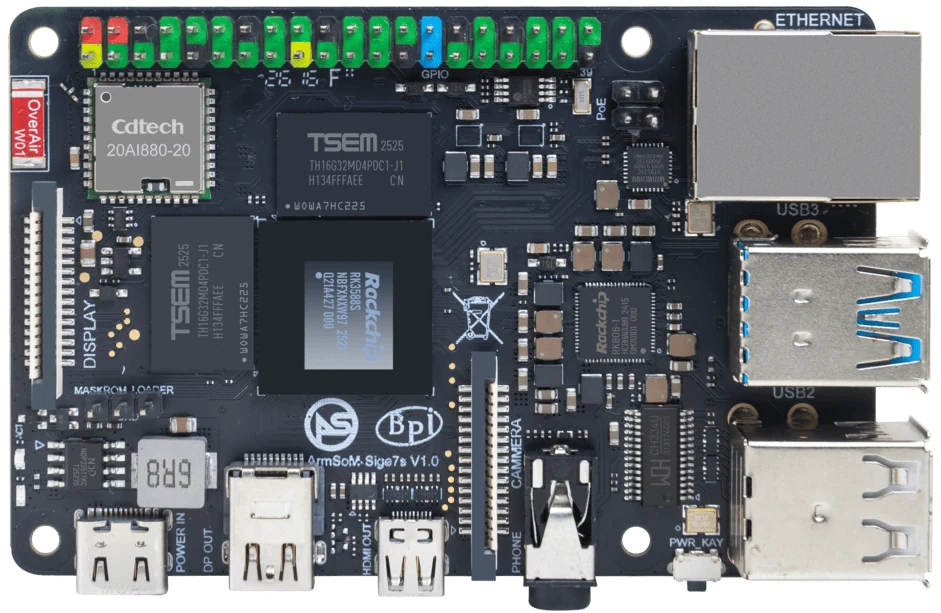
ArmSoM Sige7s
Identify the complete first-boot setup
Record memory and storage choices, power supply, cooling and any carrier or adapter. Use the product documentation to check the intended display, camera and software image. For a compute module, confirm what the purchased item includes; a bare module and a development kit have different requirements. Keep the order configuration with the project notes.
Read the documents that affect first boot
Locate the supported image, boot guide, power requirements and connector definitions. Check whether your camera, display or expansion board is documented for the selected revision. Download only from the linked official resources and preserve the image version. A familiar connector shape does not establish electrical or software compatibility.
Plan support and the first acceptance test
Keep the order details, board revision, image and a clear description of any issue. For sales and order questions, use sales@armsom.org. A useful technical report includes expected behavior, observed behavior, logs with secrets removed and reproduction steps. Check the current published shipping, warranty and returns information at purchase time rather than relying on an old article’s summary.
Match the choice to your requirements
Requirement or situation | What to evaluate | Decision detail |
Order | Exact SKU and included components | Compare cart and project needs. |
Setup | Image, power and connectors | Read the board-specific guide. |
Support | Order and reproducible issue record | Use official contact channels. |
Example design
Review the complete order before choosing the cheapest board
Check the selected memory and storage variant, required accessories, power supply, cooling and software support. Read the current seller’s delivery and after-sales terms before ordering. For a migration, include the cost of validation and a rollback unit. A small price difference can become secondary when the wrong carrier, storage module or image prevents the project from running.
Hardware and documentation
Sige7s · RK3588S
RK3588S, 6 TOPS NPU, Gigabit Ethernet and removable eMMC. Dimensions: 85 × 56 × 17 mm. Disconnect power before replacing eMMC.
Hardware documentation · Product details
Sige5 · RK3576
RK3576, four Cortex-A72 and four Cortex-A53 cores, 6 TOPS NPU, dual Gigabit Ethernet and M.2 PCIe 2.1 x1.
Hardware documentation · Product details
CM5 · RK3576
RK3576 module, 6 TOPS NPU, 55 × 40 mm and two 100-pin connectors. Module supply: 4 V recommended, 5.5 V maximum. The planned v2.0 memory option is LPDDR4/4x; current availability must be confirmed.
Hardware documentation · Product details
Frequently asked questions
Does a module include a carrier board?
Only if the selected store item explicitly includes one.
Where should order questions go?
Contact sales@armsom.org with the relevant order details.
Product information and support
Sources
Written by ArmSoM using the documentation below. Example designs are proposals, not measured customer installations.