

Cooling requirements depend on the workload, enclosure and ambient conditions. A short benchmark on an open desk cannot qualify a board for continuous operation in a sealed product. Measure sustained behavior in the arrangement customers will use.
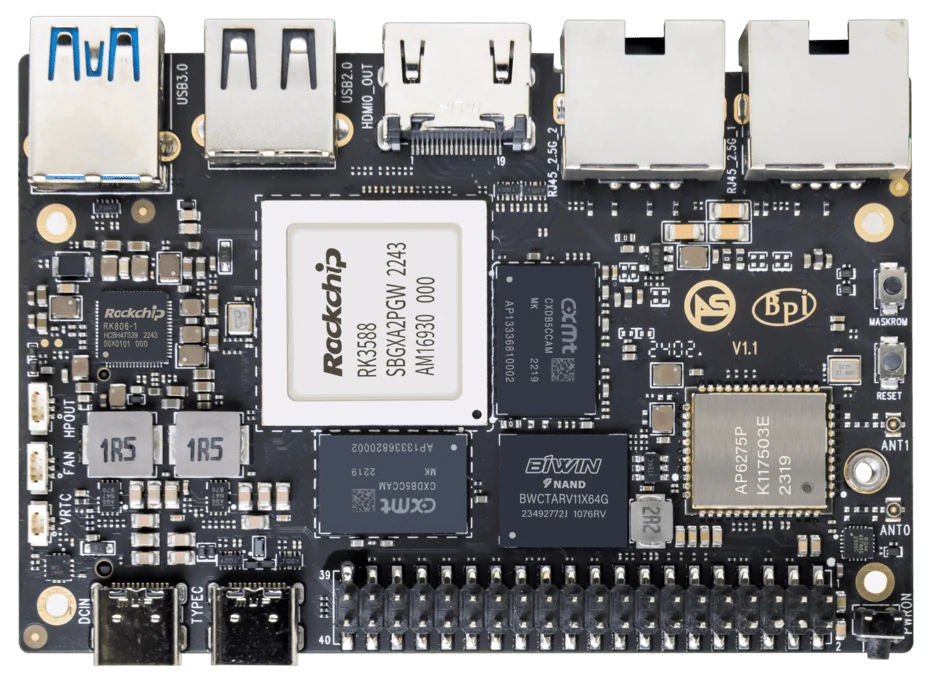
ArmSoM Sige7
Test after temperatures settle
Record ambient conditions, enclosure, heatsink, fan settings and the software workload. Observe temperature and performance over a representative run, including simultaneous tasks. Check whether throttling changes response time or throughput. Keep the physical configuration with the result so a later fan or enclosure change triggers a meaningful retest.
Look for performance change as well as temperature
A board can remain within a temperature limit by reducing its operating frequency. Compare useful work completed throughout the run, not just the initial peak. Check whether the cooling system also serves storage and power components. Do not assume a heatsink covering the processor resolves every hotspot.
Account for the operating environment
Passive cooling avoids a moving part but may need more surface area and airflow around the enclosure. A fan can improve heat removal but introduces dust, noise and a maintenance consideration. Test the installed configuration under the intended environmental limits and define behavior if airflow is obstructed.
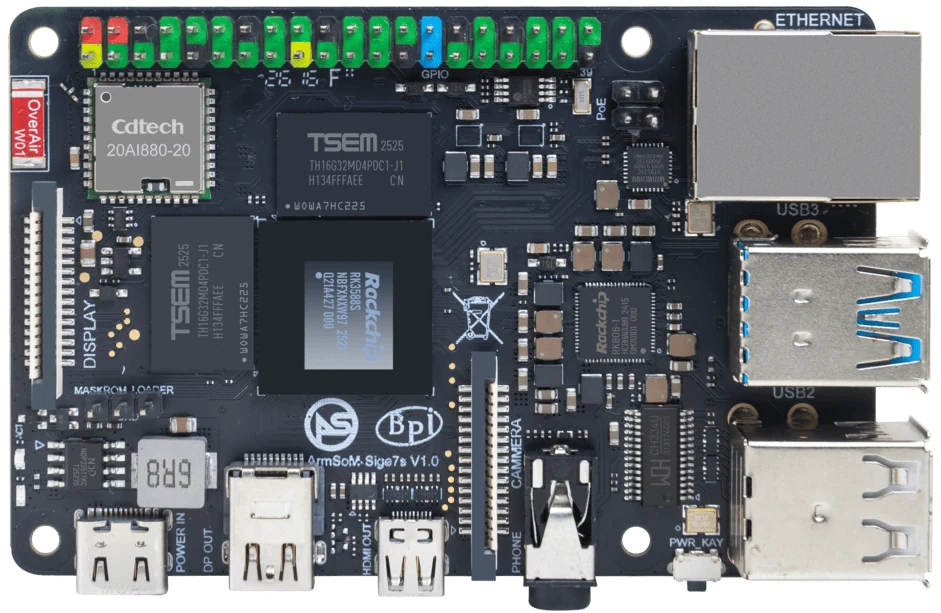
ArmSoM Sige7s
Match the choice to your requirements
Requirement or situation | What to evaluate | Decision detail |
Passive | Surface area and natural airflow | Validate sustained output in the enclosure. |
Fan | Air path, noise and service | Test failure or obstruction behavior. |
Evidence | Temperature plus useful work | Report conditions and duration. |
Example design
Test the enclosure, not only the bare board
A fan-cooled board on an open desk does not represent a sealed product enclosure. Measure ambient temperature, workload, clocks and any throttling with the intended heatsink and airflow. Run long enough for temperatures to settle. If the product has several operating modes, include the worst realistic combination of processing, storage and radio activity.
Hardware and documentation
Sige7 · RK3588
RK3588, 6 TOPS NPU, dual 2.5GbE and M.2 PCIe 3.0 x4. Check the selected eMMC and wireless configuration.
Hardware documentation · Product details
Sige7s · RK3588S
RK3588S, 6 TOPS NPU, Gigabit Ethernet and removable eMMC. Dimensions: 85 × 56 × 17 mm. Disconnect power before replacing eMMC.
Hardware documentation · Product details
Sige5 · RK3576
RK3576, four Cortex-A72 and four Cortex-A53 cores, 6 TOPS NPU, dual Gigabit Ethernet and M.2 PCIe 2.1 x1.
Hardware documentation · Product details
Frequently asked questions
Can a fanless claim be made from idle temperature?
No. It must cover the intended sustained workload and installation conditions.
Product information and support
Sources
Written by ArmSoM using the documentation below. Example designs are proposals, not measured customer installations.