

RK3588 and RK3588S share important processing features, but their peripheral capabilities differ. That difference becomes useful only through the interfaces a board exposes. Sige7 and Sige7s illustrate why a SoC comparison should be followed by a board comparison.
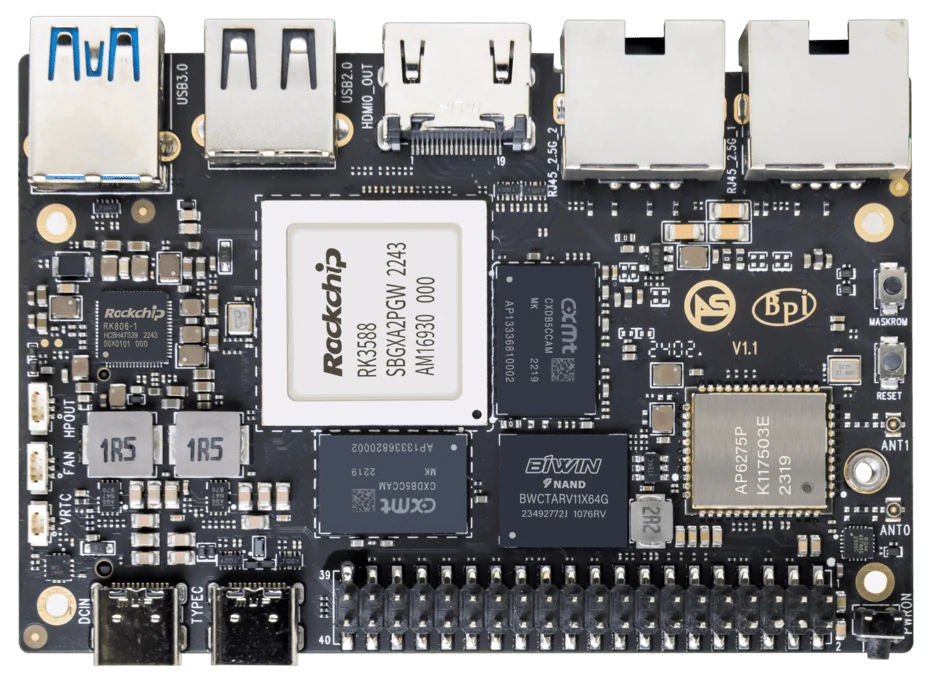
ArmSoM Sige7
Separate silicon capability from routed connections
A processor may support an interface that a particular board does not expose. List the connectors needed by the application and trace them through the board manual. Keep bandwidth and simultaneous-use limits with that record. A platform with more possible I/O is not automatically better for a product that never uses it.
Treat shared compute specifications carefully
CPU and NPU descriptions can help establish a performance class, but sustained results depend on memory, cooling, frequency policy and software. The NPU’s supported runtime and converted model matter more than a family label. Avoid claims that the processors are identical in every practical workload or that one universally outperforms the other.
Translate interface differences into requirements
A storage appliance may require the particular PCIe and Ethernet arrangement of Sige7. A compact display or inference device may work with Sige7s. A custom embedded design may favor CM7s once carrier compatibility is established. List every required connection and check whether it is available simultaneously in the intended implementation.
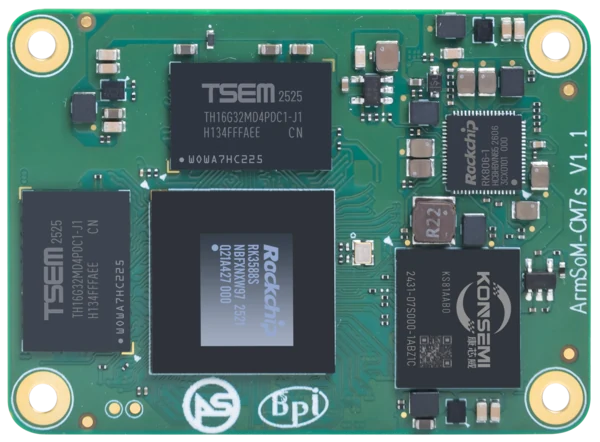
ArmSoM CM7s
Match the choice to your requirements
Requirement or situation | What to evaluate | Decision detail |
Sige7 | RK3588 SBC | Evaluate its documented network and M.2 connections. |
Sige7s | RK3588S SBC | Use its own header, display and storage guide. |
CM7s | RK3588S compute module | Include carrier routing, supply and software. |
Example design
A processor-family comparison is not a board specification
A design team comparing RK3588 with RK3588S should identify which interface differences matter to its intended product. Then verify how the selected board exposes them. A board can omit interfaces available in the silicon, and carriers can further restrict module signals. Keep the processor-level matrix separate from the connector and driver matrix used to approve the final design.
Hardware and documentation
Sige7 · RK3588
RK3588, 6 TOPS NPU, dual 2.5GbE and M.2 PCIe 3.0 x4. Check the selected eMMC and wireless configuration.
Hardware documentation · Product details
Sige7s · RK3588S
RK3588S, 6 TOPS NPU, Gigabit Ethernet and removable eMMC. Dimensions: 85 × 56 × 17 mm. Disconnect power before replacing eMMC.
Hardware documentation · Product details
CM7s · RK3588S
RK3588S, 6 TOPS NPU, 55 × 40 mm and three 100-pin connectors. ArmSoM offers CM7s as an Orange Pi CM5 replacement option; confirm the exact carrier, revision and software combination.
Hardware documentation · Product details
Frequently asked questions
Can I choose a board from the chip’s complete interface list?
No. The board exposes a subset shaped by routing, multiplexing and connector choices.
Product information and support
Sources
Written by ArmSoM using the documentation below. Example designs are proposals, not measured customer installations.