

Mainline and vendor kernels can offer different combinations of upstream maintenance and peripheral support on RK3588. The practical choice depends on the application’s required drivers. A newer version number alone does not settle a camera, graphics or NPU deployment.
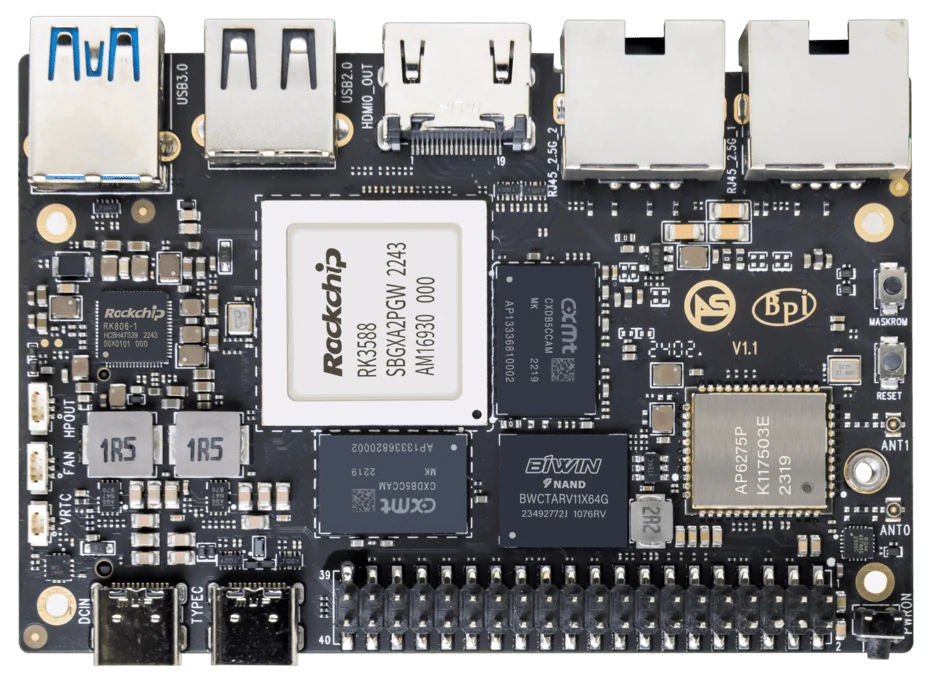
ArmSoM Sige7
List the drivers that keep the application running
Include storage, networking, display, camera and acceleration backends where relevant. Compare those requirements against the candidate images and their known limitations. A vendor kernel may be needed for a particular hardware path; an upstream-oriented image may better suit another service. Record the reason for the choice so future updates can be assessed against it.
Evaluate the maintenance burden
A vendor image can provide a practical route to integrated features, but a product team still needs update and security-maintenance information. An upstream-oriented image can reduce some downstream dependencies while requiring additional validation for specific peripherals. Maintain a list of patches, external modules and firmware that your application depends on.
Compare two complete systems
Use separate storage media and a repeatable workload. Record boot time, interface availability, service behavior and recovery after interruption. Compare sustained application results under the same cooling and power conditions. Keep the preferred image pinned until an upgrade passes the same acceptance process.
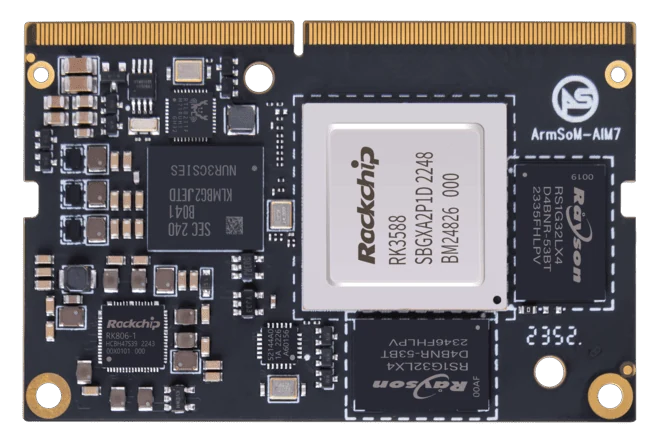
ArmSoM AIM7
Match the choice to your requirements
Requirement or situation | What to evaluate | Decision detail |
Required hardware feature | Driver plus userspace dependency | Verify the complete path. |
Maintenance | Patch and update ownership | Assign responsibility explicitly. |
Upgrade | Spare-device regression run | Preserve a known-good rollback. |
Example design
Choose a kernel by the application’s missing pieces
A vendor image may supply a peripheral path needed immediately, while a mainline-based image can be attractive for a different maintenance strategy. Compare the actual requirements: boot and networking alone do not qualify camera acceleration or a graphics stack. The maintenance decision includes user-space libraries and firmware as well as kernel patches. Keep both candidate images reproducible while testing instead of changing several stack components at once.
Separate the distribution from the kernel
Debian or Ubuntu identifies a userspace distribution, not a guarantee about the kernel branch underneath it. Two images with the same distribution name can use different bootloaders, device trees, drivers and graphics libraries.
Record the image release and repository, kernel build, bootloader and relevant userspace components. The kernel version alone may not reveal a vendor patch set. For a production image, keep the source revision and build configuration as well.
uname -a
cat /etc/os-release
cat /proc/cmdline
These observations help identify the running system. They are not a complete provenance record; retain the image manifest or build inputs that produced it.
Build a function-level support matrix
List the hardware and software paths the application uses. For each candidate image, record whether the function has been demonstrated on the exact board revision, and retain the test that proves it.
Function | Evidence to collect |
Boot and storage | Cold boot, recovery and sustained access to the intended medium |
Networking | Required wired or wireless device and reconnect behavior |
Display and touch | Actual panel, mode, orientation and input handling |
Camera | Sensor, CSI/ISP path, frame format and stable capture |
Video acceleration | Required codec through the application's actual media framework |
NPU | Compatible driver, runtime and model execution |
Mark support as verified, partially verified or unresolved, with a date and software revision. A patch submitted upstream, a patch merged into a tree and a feature included in your released image are different states.
Treat accelerator software as a dependency chain
NPU deployment involves a model converter, runtime and kernel driver. Media acceleration also depends on userspace integration. Upgrading one component without checking the others can break an application even when the board still boots.
Use the RKNN release resources for the AI stack and your application's own platform documentation. For example, Frigate publishes a specific Rockchip installation route; generic Linux support is not enough to establish that its acceleration configuration will work.
Additional references
Hardware and documentation
Sige7 · RK3588
RK3588, 6 TOPS NPU, dual 2.5GbE and M.2 PCIe 3.0 x4. Check the selected eMMC and wireless configuration.
Hardware documentation · Product details
AIM7 · RK3588
RK3588 module with a 6 TOPS NPU and 260-pin SO-DIMM connector. ArmSoM has tested a Jetson Nano B01 carrier; this does not establish compatibility with all Jetson carriers or NVIDIA software.
Hardware documentation · Product details
Frequently asked questions
Is mainline always faster?
No. Performance depends on drivers, configuration and workload.
Can I switch just the kernel package?
That can change boot and device support. Follow the image maintainer’s supported upgrade process and keep recovery media.
Product information and support
Sources
Written by ArmSoM using the documentation below. Example designs are proposals, not measured customer installations.