

Moving a Raspberry Pi service to ArmSoM starts with a fresh image for the target board. Copying the old boot card brings along firmware and hardware assumptions that do not belong to the new platform. Move the application and its data separately.
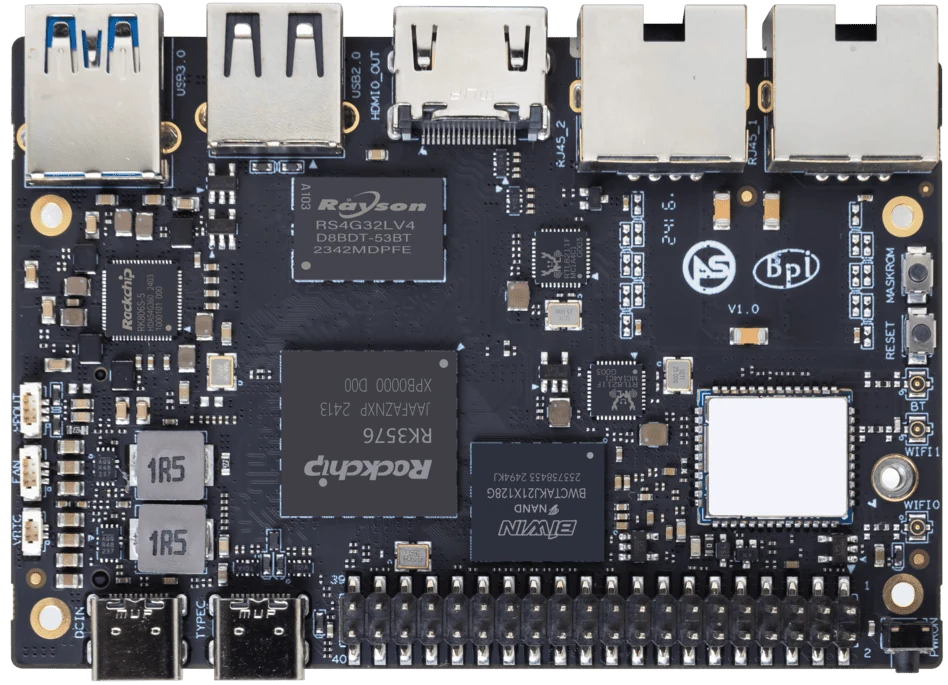
ArmSoM Sige5
Inventory the running service
Record installed packages, service definitions, data directories and network settings. Identify Raspberry Pi-specific libraries and any native binaries before restoring the application. Bring up one service at a time on the target image, using a copy of the data so the original installation remains available for comparison.
Rebuild the environment in small steps
Create a fresh target installation, record its release identifier and confirm networking. Install required packages from the target distribution, then restore a copy of application data. Replace Raspberry Pi-specific camera or GPIO dependencies with the supported target interface. Run the application manually before enabling automatic startup. Keep the original card intact until a restore test succeeds.
Decide what success means
Compare application output and user-visible behavior, not just whether a desktop appears. Include reboot recovery, peripheral reconnection and a disconnected network. A web service may migrate with little change while a camera kiosk needs substantial driver work. Record those differences so the next deployment can repeat the process.
Match the choice to your requirements
Requirement or situation | What to evaluate | Decision detail |
Portable code | Rebuild for the target architecture | Compare expected outputs. |
Board peripherals | Use target drivers and pin mapping | Check each interface separately. |
Persistent data | Restore into a test copy | Verify schema and permissions. |
Example design
Rebuild a small Raspberry Pi service on a clean image
Consider a Python application that reads a sensor and serves a web page. Move the web and data-processing components first using saved input. Then replace the sensor access with the target board’s supported interface. This isolates operating-system and package problems from wiring and driver problems. Copying the entire Raspberry Pi filesystem would preserve assumptions about boot firmware and hardware that do not belong on the ArmSoM target.
Hardware and documentation
Sige5 · RK3576
RK3576, four Cortex-A72 and four Cortex-A53 cores, 6 TOPS NPU, dual Gigabit Ethernet and M.2 PCIe 2.1 x1.
Hardware documentation · Product details
Sige7s · RK3588S
RK3588S, 6 TOPS NPU, Gigabit Ethernet and removable eMMC. Dimensions: 85 × 56 × 17 mm. Disconnect power before replacing eMMC.
Hardware documentation · Product details
Frequently asked questions
Can I keep the same programming language?
Often yes, if the target distribution supports it and the required native dependencies. The disk image and hardware libraries still need review.
Can I reuse my Raspberry Pi SD card unchanged?
Treat it as a backup or source of application data, not an ArmSoM boot image.
Product information and support
Sources
Written by ArmSoM using the documentation below. Example designs are proposals, not measured customer installations.