

Python code that toggles a Raspberry Pi GPIO does not automatically address the same pin on an ArmSoM header. Numbering, pin multiplexing and library support differ. Port the pin map first, then the code that uses it.
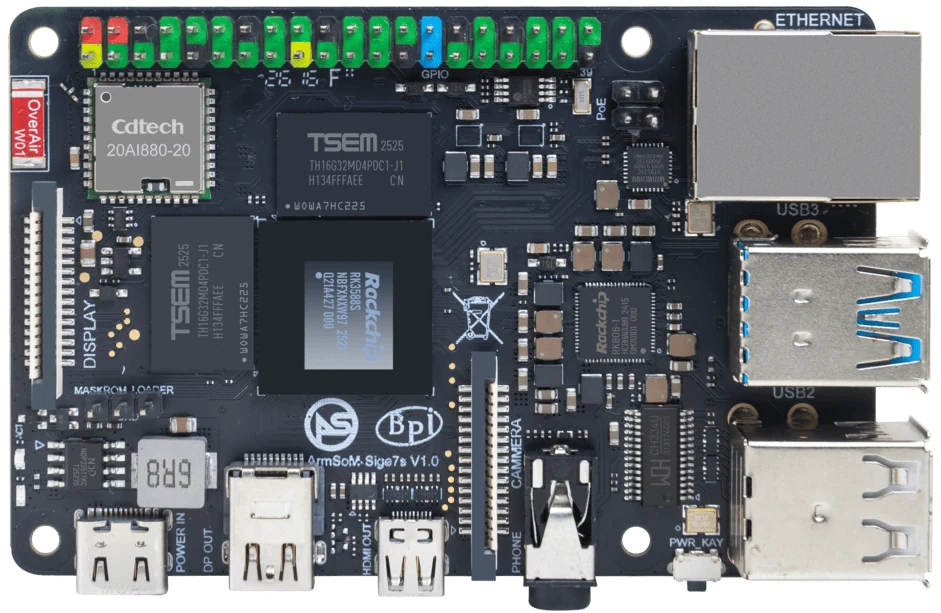
ArmSoM Sige7s
Map the physical pin to its Linux interface
For every connected signal, record the header position, electrical level and function from the target board documentation. Check how that signal is exposed by the selected kernel and GPIO library. Begin with a simple input or output on a safe test circuit before connecting the application hardware. Do not reuse a Raspberry Pi pin number without translating it.
Use the appropriate Linux interface
Linux provides a GPIO character-device API, but a proper I2C, SPI or PWM driver may be the better interface for a peripheral. Replacing a Raspberry Pi library name without reviewing its behavior can change numbering, edge handling and permissions. Use a small abstraction layer so application logic does not depend on hard-coded GPIO chip offsets.
Test transitions as well as steady states
Start with a harmless indicator or measurement fixture. Observe startup, service restart, shutdown and power recovery. Verify event detection under realistic CPU load. Save the pin map and tested library version beside the application. A passing LED test does not establish compatibility with a motor driver or safety interlock.
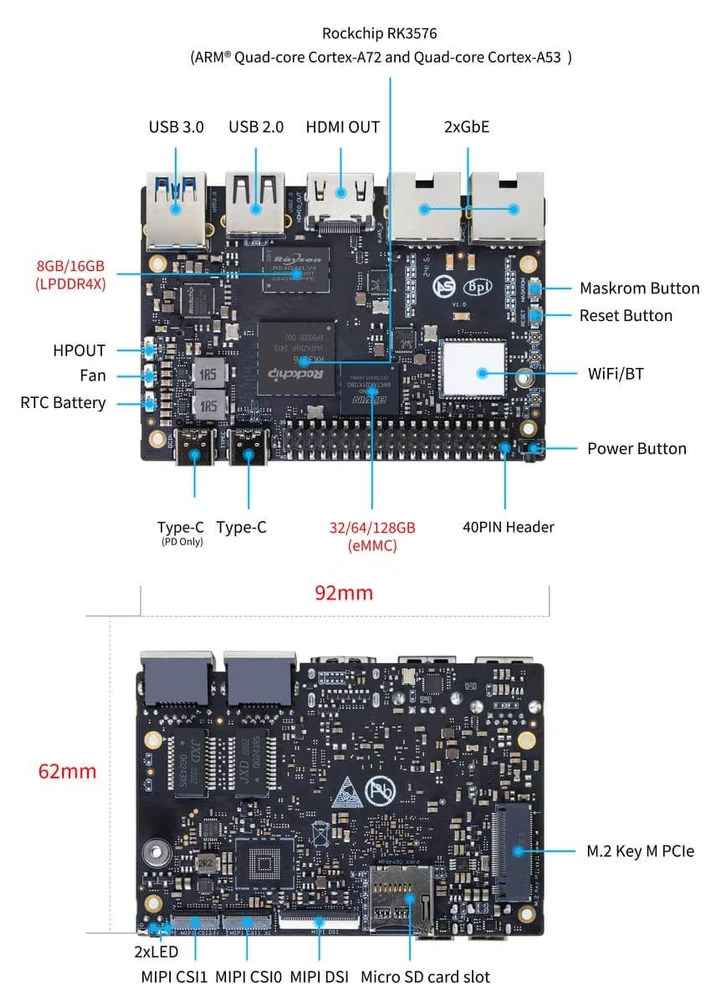
ArmSoM Sige5 board layout reference. Check the current manual before wiring a peripheral.
Match the choice to your requirements
Requirement or situation | What to evaluate | Decision detail |
Pin identity | Physical position and signal name | Avoid BCM-number assumptions. |
Electrical behavior | Voltage, pull-up and idle state | Protect the connected device. |
Software behavior | Events and permissions | Test after reboot and update. |
Example design
Replace a pin number with a verified signal identity
A Raspberry Pi script may identify an output using a numbering convention specific to that board. On the target, start with the connector’s physical pin and the documented signal, then map it to the Linux interface exposed by the chosen image. Check the line’s default state during boot and reset before attaching an actuator. A script successfully toggling some line does not prove it toggles the intended external pin.
Hardware and documentation
Sige7s · RK3588S
RK3588S, 6 TOPS NPU, Gigabit Ethernet and removable eMMC. Dimensions: 85 × 56 × 17 mm. Disconnect power before replacing eMMC.
Hardware documentation · Product details
Sige5 · RK3576
RK3576, four Cortex-A72 and four Cortex-A53 cores, 6 TOPS NPU, dual Gigabit Ethernet and M.2 PCIe 2.1 x1.
Hardware documentation · Product details
Frequently asked questions
Does a 40-pin connector guarantee Raspberry Pi GPIO compatibility?
No. Connector shape does not establish pin function, voltage or software compatibility.
Product information and support
Sources
Written by ArmSoM using the documentation below. Example designs are proposals, not measured customer installations.