

A service that runs in a terminal may fail at boot because its environment, permissions or network dependencies differ. Moving it between boards is a good time to make those assumptions explicit in the systemd unit and deployment notes.
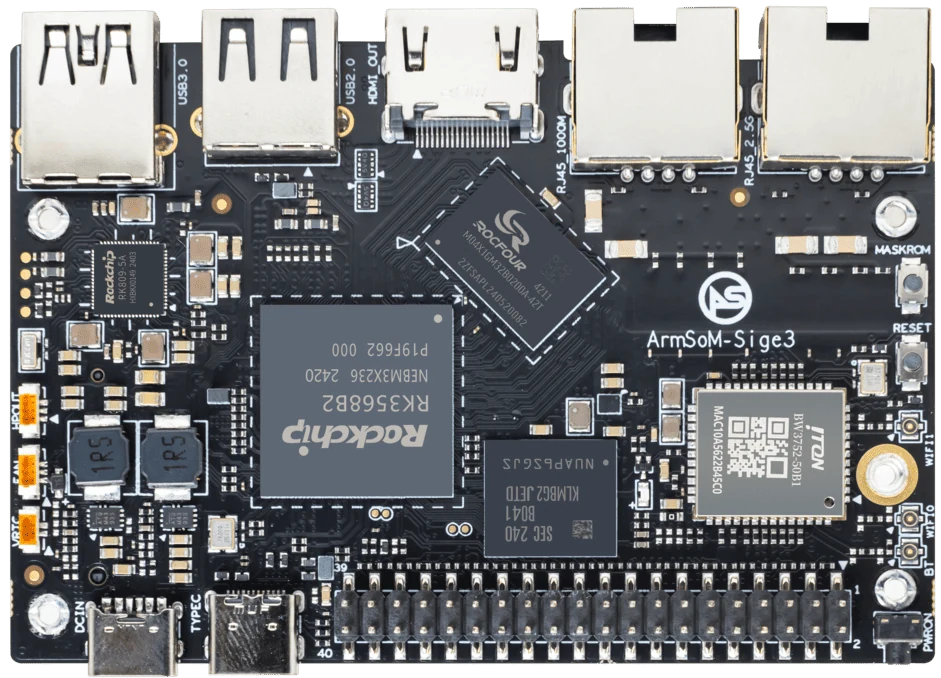
ArmSoM Sige3
Run the service under its intended account
Check file ownership, executable paths, environment variables and device permissions. Then test startup through systemd, not only from an interactive shell. Record failures in the journal and check behavior when networking is late or unavailable. A restart policy should recover a transient failure without hiding a persistent configuration error.
Use dependencies that match the application
A network-facing daemon does not necessarily need a remote server to be reachable before it starts. Prefer retry logic for temporary outages. Hardware-facing services need a reliable way to locate the intended device rather than a guessed device number. Set restart behavior deliberately so a persistent configuration error does not cause an uncontrolled restart loop.
Test the lifecycle
On Sige5 or Sige3, verify cold boot, manual restart, application crash and network interruption. Check that logs remain useful without filling the storage device. Confirm graceful shutdown and that pending data is handled correctly. Save the tested unit with the application release and document how to disable it during recovery.
Match the choice to your requirements
Requirement or situation | What to evaluate | Decision detail |
Execution | User, paths and environment | Reproduce outside your login shell. |
Dependencies | Network and device availability | Handle temporary outages. |
Recovery | Restart and log policy | Avoid endless resource-consuming loops. |
Example design
Turn a manual command into a maintained service
An application that works in a shell may rely on the current directory, environment variables or a logged-in user. Make those dependencies explicit in the service configuration. Decide whether a network connection is required at startup or whether the application should retry later. Limit restart loops and expose useful logs. Test a clean reboot, a deliberate crash and a failed dependency before calling the service unattended.
Hardware and documentation
Sige5 · RK3576
RK3576, four Cortex-A72 and four Cortex-A53 cores, 6 TOPS NPU, dual Gigabit Ethernet and M.2 PCIe 2.1 x1.
Hardware documentation · Product details
Sige3 · RK3568B2
RK3568B2 with a 2.5GbE port and a separate Gigabit Ethernet port. Consult the revision-specific manual for expansion and boot support.
Hardware documentation · Product details
Frequently asked questions
Can I copy a unit file unchanged?
Possibly, but paths, accounts, runtime dependencies and devices must match the target system.
Does Restart=always solve reliability?
No. It does not fix corrupted data, invalid configuration or unavailable hardware.
Product information and support
Sources
Written by ArmSoM using the documentation below. Example designs are proposals, not measured customer installations.