

When a board will not boot, changing the image, supply and storage together makes the cause harder to find. Work through the boot path with one change at a time. A serial log is often more useful than the absence of an HDMI picture.
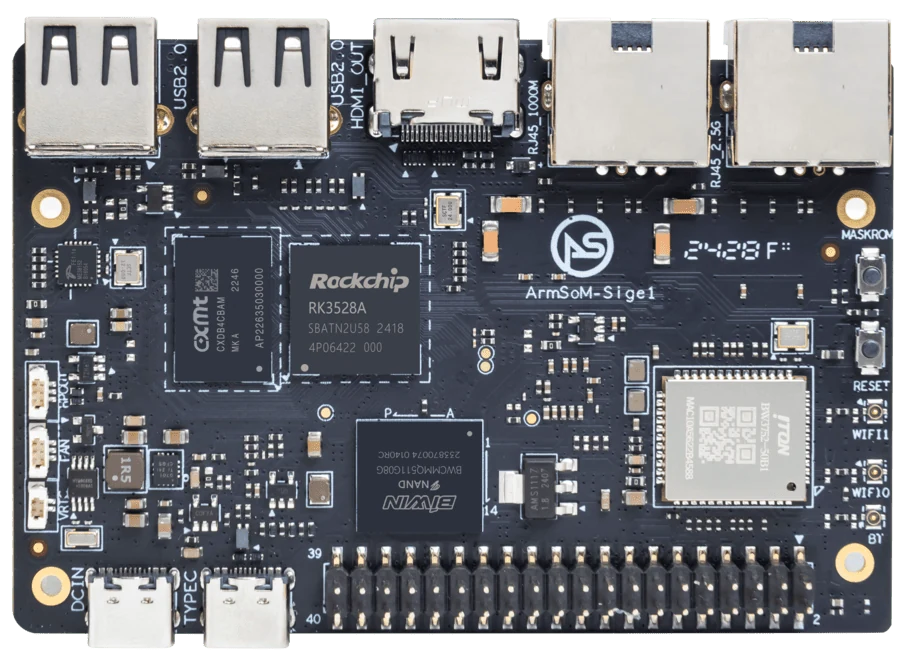
ArmSoM Sige1
Establish a known starting configuration
Record the board revision, supply and cable, boot medium and image checksum. Disconnect nonessential peripherals and follow the supported boot procedure. If available, capture the debug console from startup. Keep the last working combination intact so each new result can be compared with a known state.
Follow the boot chain in order
Look for signs of bootloader activity, kernel startup and userspace initialization. Serial logs can help distinguish an unreadable storage device from a missing root filesystem or a service failure. Change one variable at a time and record the result. Repeatedly flashing different images without notes makes intermittent faults harder to isolate.
Recover without destroying the only evidence
Preserve important data before reformatting storage. Keep the failing image or logs when they can help diagnose the issue. Once a minimal configuration boots, reconnect peripherals individually. If trouble returns only under load, review the power path and cooling instead of treating every failure as corrupt software.
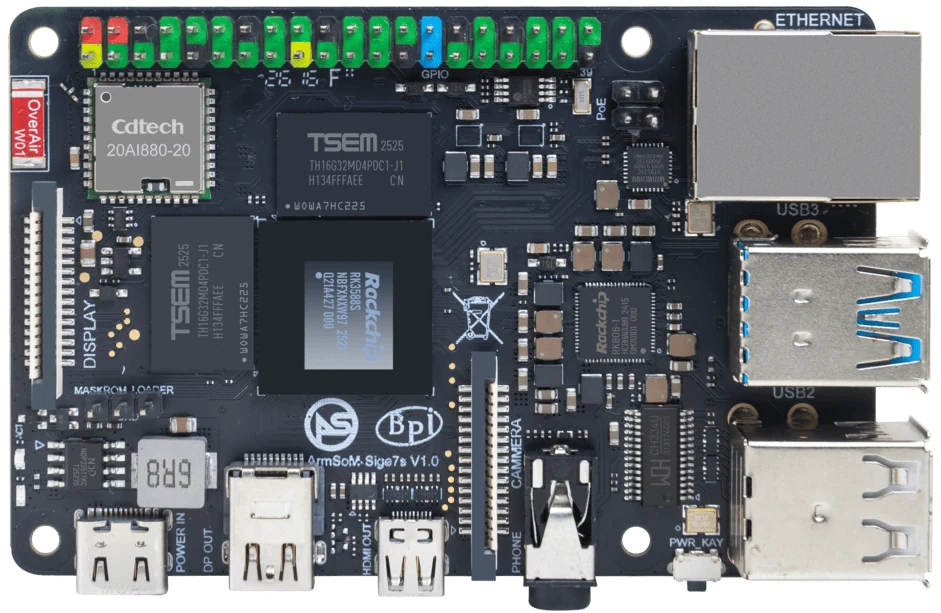
ArmSoM Sige7s
Match the choice to your requirements
Requirement or situation | What to evaluate | Decision detail |
No useful indication | Supply and minimal configuration | Verify board-specific requirements. |
Bootloader only | Image and storage path | Inspect serial output. |
Linux starts then stops | Root filesystem and services | Collect logs before reinstalling. |
Example design
Use a minimal known-good boot configuration
Disconnect optional peripherals and use the documented power supply and a verified image on suitable media. First determine whether the system fails to boot or merely fails to display output. A network address or serial log may reveal that the operating system is running. Change one variable at a time and preserve the failing media if it contains important data. Repeated blind reflashing can destroy useful evidence without finding the fault.
Hardware and documentation
Sige1 · RK3528
RK3528 single-board computer. Use the Sige1 hardware guide and matching image for setup.
Hardware documentation · Product details
Sige5 · RK3576
RK3576, four Cortex-A72 and four Cortex-A53 cores, 6 TOPS NPU, dual Gigabit Ethernet and M.2 PCIe 2.1 x1.
Hardware documentation · Product details
Sige7s · RK3588S
RK3588S, 6 TOPS NPU, Gigabit Ethernet and removable eMMC. Dimensions: 85 × 56 × 17 mm. Disconnect power before replacing eMMC.
Hardware documentation · Product details
Frequently asked questions
Should I replace the board immediately?
First isolate supply, image, storage and peripheral variables. A reproducible failure on a known-good configuration makes support diagnosis more effective.
Product information and support
Sources
Written by ArmSoM using the documentation below. Example designs are proposals, not measured customer installations.