

A working prototype image is not yet a repeatable provisioning process. Production units need a known image, unique device identity and a recovery route. Keep those pieces separate so a repair does not duplicate credentials or overwrite customer data.
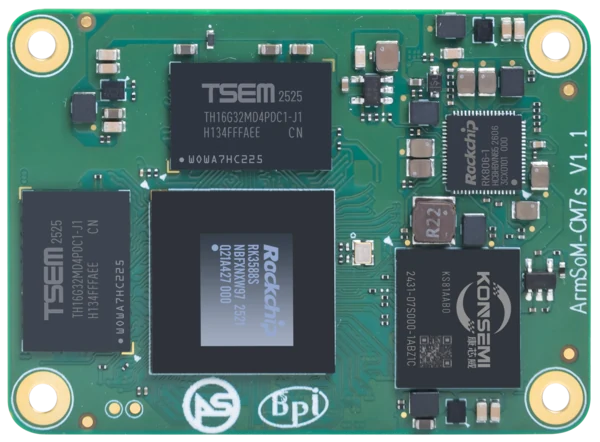
ArmSoM CM7s
Separate common software from device identity
Build a reusable image for the operating system and application. Provision identifiers, credentials and deployment settings through a controlled per-device step. Record image checksums and configuration versions, then test a fresh unit. Recovery should restore the common software while preserving or securely replacing the device-specific information.
Test what the customer will receive
After flashing, verify boot, storage, networking and the interfaces required by the shipped product. Save a compact result linked to the unit identifier. Confirm that a failed flash can be retried and that the fixture cannot accidentally target the operator’s own disk. Keep raw hardware-design files out of the customer media package; released PDF documentation can be distributed separately where appropriate.
Match the choice to your requirements
Requirement or situation | What to evaluate | Decision detail |
Before flashing | Verify hardware and image target | Reject a mismatched revision. |
During provisioning | Record tool and image identifiers | Protect per-device credentials. |
After flashing | Run a defined acceptance check | Store pass/fail evidence and recovery status. |
Example design
Prepare a production release, not a copied personal SD card
Build the production image from a controlled source and record its version, package list and checksum. Provision per-device identity separately so devices do not share credentials or network names. Test the image on a clean target rather than only on the developer’s board. The release record should include how to restore the application data and how to recover when normal boot fails.
Hardware and documentation
CM5 · RK3576
RK3576 module, 6 TOPS NPU, 55 × 40 mm and two 100-pin connectors. Module supply: 4 V recommended, 5.5 V maximum. The planned v2.0 memory option is LPDDR4/4x; current availability must be confirmed.
Hardware documentation · Product details
CM7s · RK3588S
RK3588S, 6 TOPS NPU, 55 × 40 mm and three 100-pin connectors. ArmSoM offers CM7s as an Orange Pi CM5 replacement option; confirm the exact carrier, revision and software combination.
Hardware documentation · Product details
CM1 · RK3506J
RK3506J with three Cortex-A7 cores, a Cortex-M0 and 256 MB / 512 MB DDR3L options. The 5 V module supply differs from the CM1-IO carrier’s 12 V input.
Hardware documentation · Product details
Frequently asked questions
Should every unit share a cloned device identity?
No. Provision unique identities and secrets where the application requires them.
Product information and support
Sources
Written by ArmSoM using the documentation below. Example designs are proposals, not measured customer installations.