

Boot storage is part of the module configuration. Raspberry Pi CM4 Lite and eMMC-equipped CM4 variants lead to different provisioning arrangements; an ArmSoM CM5 migration adds its own image and recovery requirements. Decide how units will be written and repaired before ordering them.
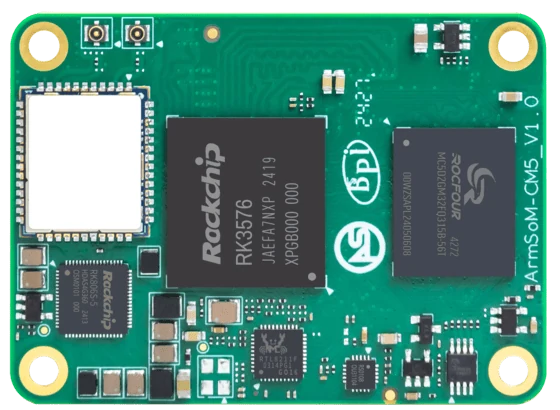
ArmSoM CM5
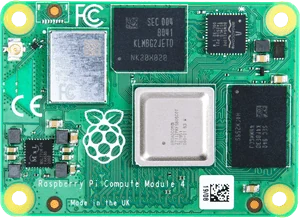
Raspberry Pi Compute Module 4 Photo: Raspberry Pi
Images identify the boards and are not to physical scale. Pictured configurations and included accessories may differ.
Specify the provisioning route
Record the purchased storage variant and how a blank unit receives its first image. Include the tools, cables and boot settings required for recovery. A removable-card workflow should not be assumed to apply to onboard eMMC. Test a spare unit from blank storage through application startup before repeating the process across a batch.
Make the first installation reproducible
Record image checksum, flashing tool version, target device identity and the steps needed to enter recovery. Confirm the procedure on a spare unit before using it in production. Avoid instructions that identify a storage target only by a changeable Linux device name. A valid backup should include partition information and application data, together with a tested way to restore both.
Match the choice to your requirements
Requirement or situation | What to evaluate | Decision detail |
Module without onboard eMMC | Carrier storage path matters | Verify the supported boot medium. |
Module with eMMC | Provide recovery access | Do not hide the service connector in the enclosure. |
Data on a second device | Document mount and failure behaviour | The OS must handle missing storage predictably. |
Example design
Treat a blank module as a different starting state
A module supplied without a preinstalled system may need a recovery or flashing connection before it can use the desired boot medium. Identify that process early, especially if the finished enclosure hides the connector. A development boot from removable media and a production boot from onboard storage should each have their own acceptance record. Do not erase the only working medium until a clean installation and recovery have been demonstrated.
Hardware and documentation
CM5 · RK3576
RK3576 module, 6 TOPS NPU, 55 × 40 mm and two 100-pin connectors. Module supply: 4 V recommended, 5.5 V maximum. The planned v2.0 memory option is LPDDR4/4x; current availability must be confirmed.
Hardware documentation · Product details
Frequently asked questions
Does an eMMC-equipped module always ignore microSD?
Boot behaviour depends on the platform firmware and configuration; consult the exact module guide.
Product information and support
Sources
Written by ArmSoM using the documentation below. Example designs are proposals, not measured customer installations.