

A Raspberry Pi camera needs more than a ribbon adapter to work on another board. Sensor drivers, control wiring, lane routing and software support must all match. Use the exact sensor and carrier combination when evaluating an ArmSoM camera setup.
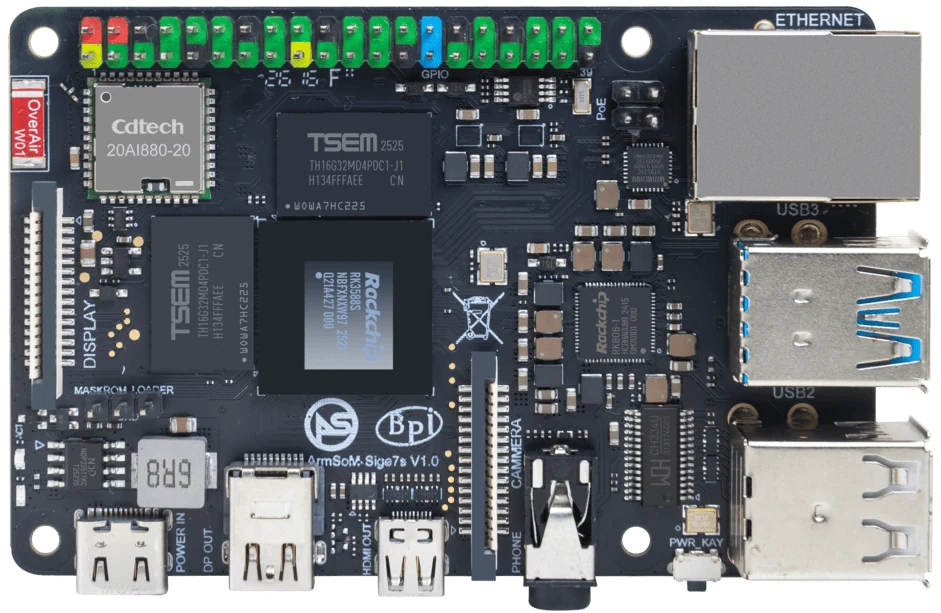
ArmSoM Sige7s
Identify the sensor behind the product name
Record the sensor model, module revision, connector pinout and required supplies. Check the target board image for a matching driver and device-tree configuration. A mechanically fitting cable can connect incompatible signals. Validate capture with the supported tool before involving the final vision application.
Check the software pipeline
A sensor driver must match the image and device-tree configuration. The ISP path, tuning and userspace capture tool also affect the result. First verify device discovery and capture at a documented mode. Then assess exposure, color, frame stability and the required resolution. A sensor name in a driver list is not proof that every module using it has been validated.
Publish compatibility at the tested level
State the camera SKU, board revision, image and successful modes. Include limits such as unsupported controls or frame rates. Keep the cable and configuration in the test record. Recommend a known tested combination where available instead of promising compatibility with all Raspberry Pi cameras.
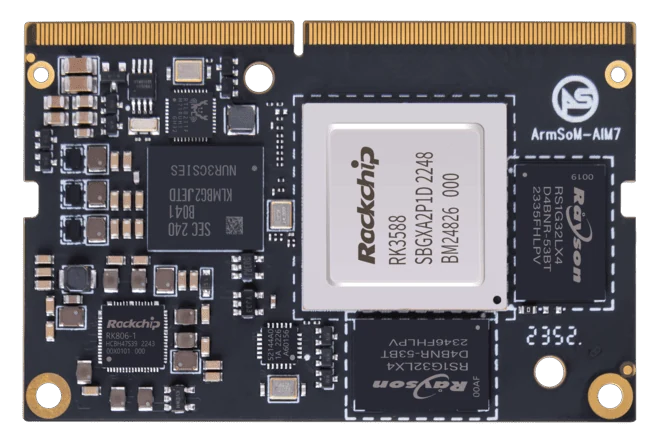
ArmSoM AIM7
Match the choice to your requirements
Requirement or situation | What to evaluate | Decision detail |
Mechanical | Pitch, orientation and lane count | Compare the released pinouts. |
Electrical | Power and signal routing | Resolve conflicts before connecting. |
Software | Driver, tuning and capture mode | Record a reproducible result. |
Example design
A ribbon cable can fit while the sensor remains unsupported
Consider a project moving a Raspberry Pi camera to a Rockchip board. The connector is only one layer of the problem: lane assignment, voltage, clocking, sensor driver and image-processing configuration must also match. Identify the sensor rather than relying on the camera’s retail name. Start with a sensor explicitly documented for the target board and image, then test the application’s capture format before adding inference or recording.
Hardware and documentation
Sige7s · RK3588S
RK3588S, 6 TOPS NPU, Gigabit Ethernet and removable eMMC. Dimensions: 85 × 56 × 17 mm. Disconnect power before replacing eMMC.
Hardware documentation · Product details
Sige5 · RK3576
RK3576, four Cortex-A72 and four Cortex-A53 cores, 6 TOPS NPU, dual Gigabit Ethernet and M.2 PCIe 2.1 x1.
Hardware documentation · Product details
AIM7 · RK3588
RK3588 module with a 6 TOPS NPU and 260-pin SO-DIMM connector. ArmSoM has tested a Jetson Nano B01 carrier; this does not establish compatibility with all Jetson carriers or NVIDIA software.
Hardware documentation · Product details
Frequently asked questions
Does IMX219 support mean every IMX219 camera works?
No. Camera module wiring, power and configuration can differ.
Product information and support
Sources
Written by ArmSoM using the documentation below. Example designs are proposals, not measured customer installations.