

ArmSoM’s AIM7 demonstration brings IMX219 and OV13850 cameras into one RK3588 setup. It is a useful reference for multi-camera integration. The demonstrated hardware and image should remain attached to the example; camera count alone does not establish synchronized capture or a sustained frame rate.
Watch the four-camera demonstration
Video retained from the original ArmSoM article.
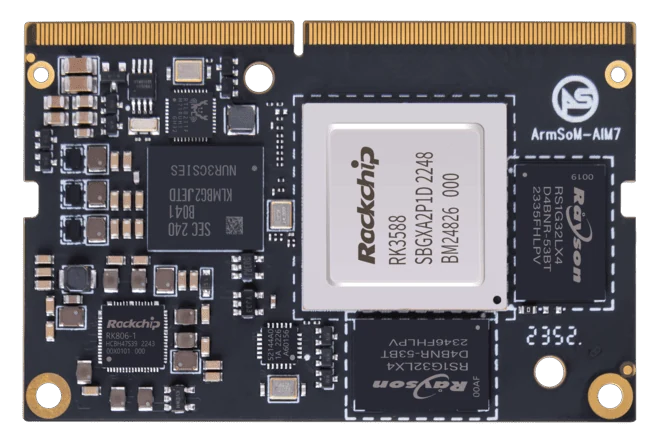
ArmSoM AIM7
Record each camera path
Identify the sensor, connector, cable and driver used by each camera. Keep the image version and capture settings with the setup. Bring up cameras individually before combining them, so a routing or driver issue can be isolated. Synchronization and throughput need their own measurements if the application depends on them.
Make the capture devices identifiable
Map each camera to its physical connector, sensor configuration and capture device. Device numbers can change after a reboot, so retain a stable way to identify each path. Keep the image version and configuration changes with the setup. Missing details in the demonstration should be confirmed with the team before trying to reproduce it.
Measure the result you need
A multi-view display can show several feeds without proving synchronized capture. If timing matters, measure timestamp alignment. If the system records or runs inference, measure dropped frames and sustained throughput with those services active. Keep the sensor settings, cooling and storage configuration with the results.
Match the choice to your requirements
Requirement or situation | What to evaluate | Decision detail |
Visible demonstration | Multiple camera views | Describe only observed behavior. |
Reproduction package | Carrier, sensors, image and settings | Needed to repeat the setup. |
Further validation | Timing, drops and sustained load | Needs separate measurement. |
Example design
Separate the published demonstration from a new camera combination
The existing AIM7 demonstration concerns IMX219 and OV13850 cameras on a particular platform. A different carrier, cable length or sensor revision creates a new validation task. Preserve the known configuration and change one element at a time. For simultaneous capture, record the active cameras, formats and timestamps; seeing four preview windows does not by itself prove synchronized acquisition or sustained recording.
Hardware and documentation
AIM7 · RK3588
RK3588 module with a 6 TOPS NPU and 260-pin SO-DIMM connector. ArmSoM has tested a Jetson Nano B01 carrier; this does not establish compatibility with all Jetson carriers or NVIDIA software.
Hardware documentation · Product details
Frequently asked questions
Does four-camera display prove synchronized capture?
No. Synchronization requires sensor and timestamp evidence.
Can the same setup be assumed on every AIM7 carrier?
No. Camera routing and available connectors depend on the carrier.
Product information and support
Sources
Written by ArmSoM using the documentation below. Example designs are proposals, not measured customer installations.