

ARM64 and ARM32 affect package availability and binary compatibility, not just the processor label. A board’s CPU capability and the architecture of its installed image are separate facts. Check both before selecting containers, libraries or a prebuilt application.
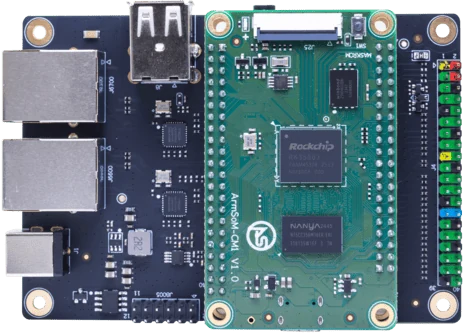
ArmSoM CM1-IO carrier and module. Carrier connectors and power input are distinct from the bare CM1 module.
Check the image and its native dependencies
Record the operating-system architecture and the architecture required by each binary package. Inspect drivers and hardware libraries that cannot simply be rebuilt from portable source. A compatible instruction set does not guarantee a matching ABI or userspace library. Test the complete dependency chain on the intended image.
Audit native dependencies
Scripts can depend on compiled Python wheels, Node modules, database engines, browser binaries or proprietary libraries. Check whether those components are available for the target architecture and system library versions. A container does not erase architecture requirements unless an explicit emulation arrangement is used, which introduces a separate performance assessment.
Plan a build and validation route
Prefer source builds or vendor-supported packages where appropriate. Test representative inputs, hardware access and update behavior. Preserve reproducible build instructions and version locks. If a critical closed binary has no compatible target version, retaining the existing platform may be more practical than forcing a migration.
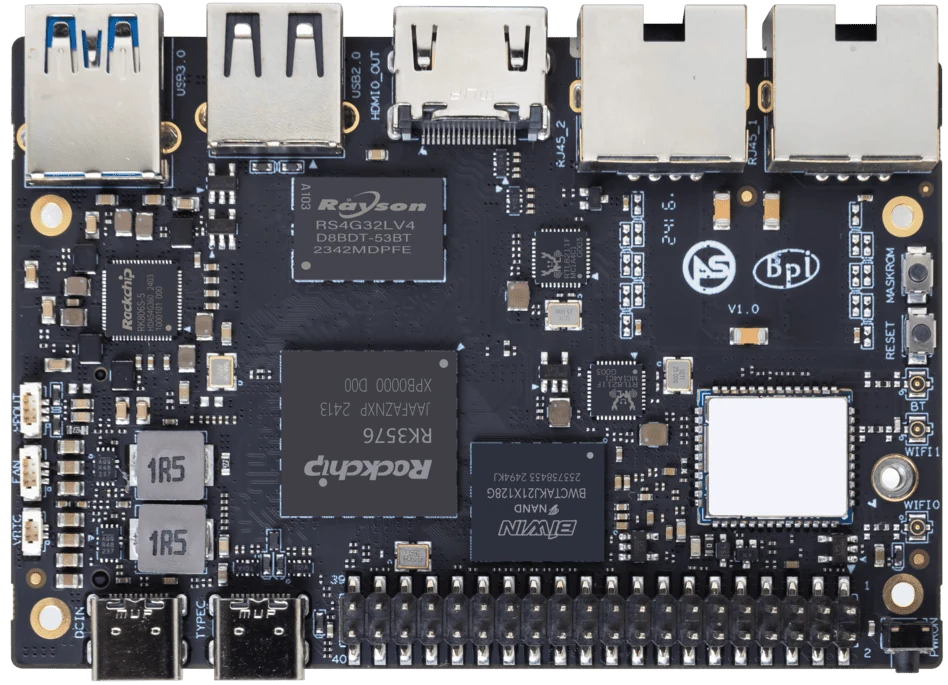
ArmSoM Sige5
Match the choice to your requirements
Requirement or situation | What to evaluate | Decision detail |
Processor | Instruction-set capability | Identify the exact CPU family. |
Image | Kernel and userspace architecture | Inspect the installed environment. |
Application | Native binaries and libraries | Confirm compatible packages or rebuild. |
Example design
Check the application’s binary dependencies before selecting a board
A project may use portable source code while depending on a vendor library available only for one CPU architecture. Inventory those libraries, runtime packages and container manifests first. ARM64 and ARM32 are not interchangeable labels. Verify the user-space architecture and supported kernel on the intended image, then build a clean installation from the documented dependency list.
Hardware and documentation
Sige5 · RK3576
RK3576, four Cortex-A72 and four Cortex-A53 cores, 6 TOPS NPU, dual Gigabit Ethernet and M.2 PCIe 2.1 x1.
Hardware documentation · Product details
CM1 · RK3506J
RK3506J with three Cortex-A7 cores, a Cortex-M0 and 256 MB / 512 MB DDR3L options. The 5 V module supply differs from the CM1-IO carrier’s 12 V input.
Hardware documentation · Product details
P2 Pro · RK3308B-S
RK3308B-S, 256 MB / 512 MB DDR3, 100 Mbps Ethernet, PDM and I2S audio. Board size: 65 × 52.5 mm. Storage and power accessories depend on the ordered configuration.
Hardware documentation · Product details
Frequently asked questions
Will every ARM container run on every ArmSoM board?
No. Image architecture, kernel features and device access requirements must match.
Product information and support
Sources
Written by ArmSoM using the documentation below. Example designs are proposals, not measured customer installations.