

A working Raspberry Pi 4 deployment does not need replacing just because newer boards exist. Storage faults, slow code and a missing interface require different remedies. Identify the limitation before deciding whether a new ArmSoM board would address it.
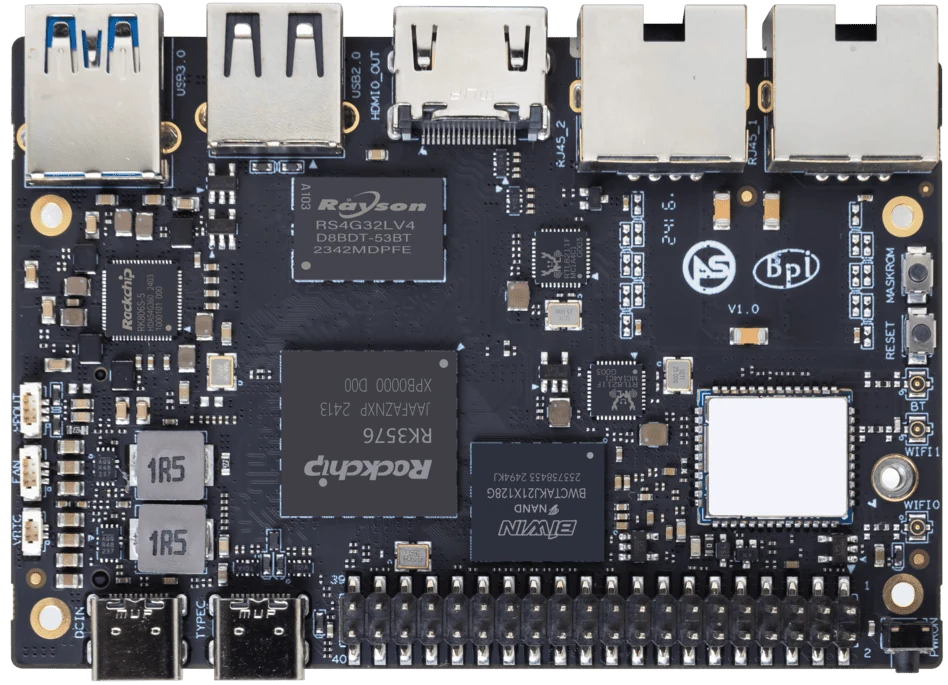
ArmSoM Sige5
Find the limit in the current installation
Measure the task that users notice: startup, a database query, an image-processing step or a file transfer. Look at CPU load, memory pressure, storage waits and network use during that task. A slow storage device or leaking service can remain a problem after a board upgrade. Keep the current system as the comparison baseline.
Set a change threshold
Write a requirement that can be passed or failed, such as completing the expected transaction load without missed deadlines. Compare the current Pi 4 system against that requirement before introducing new hardware. Evaluate Sige5 when the RK3576 platform fits the application; investigate Sige3 when its documented network and storage arrangement matches the design. Keep the Pi when it already meets the requirement with an acceptable maintenance path.
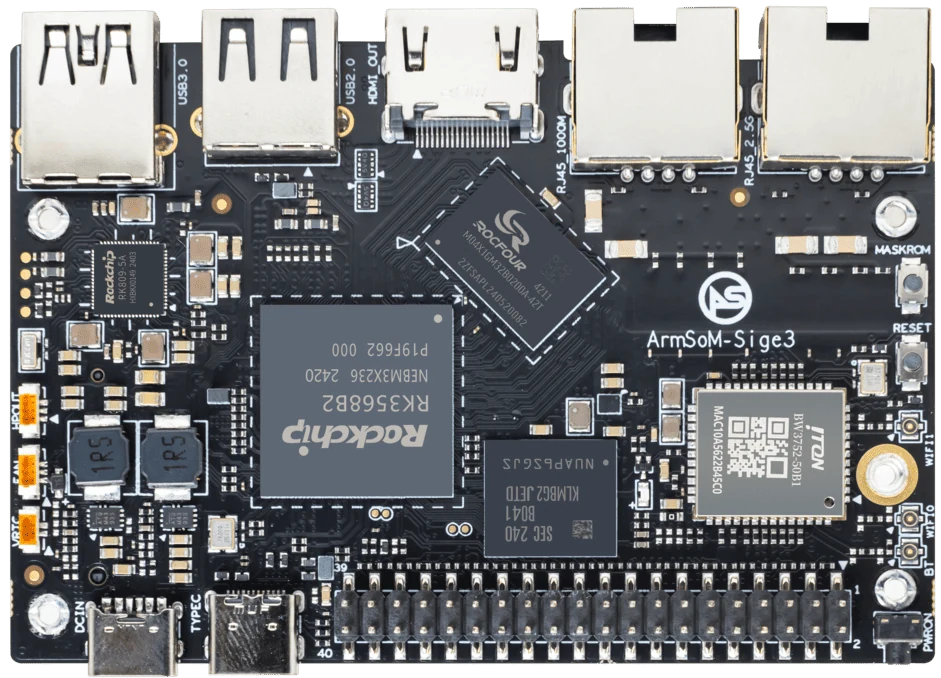
ArmSoM Sige3
Match the choice to your requirements
Requirement or situation | What to evaluate | Decision detail |
CPU saturation | Profile the application first | A hardware comparison needs the same useful work. |
Storage stalls | Measure write latency and durability | An SSD or software change may solve the problem. |
Missing interface | Audit the complete replacement design | Include cables, drivers and recovery. |
Example design
Separate an overloaded Pi 4 from an unhealthy installation
A slow web application may be limited by a failing card, an external service or an unbounded database rather than the CPU. Observe response time, memory pressure and storage latency before replacing the board. If correcting the software or storage meets the requirement, retaining Pi 4 avoids a migration. If a repeatable workload still exceeds the available resources, the measurements provide a defensible specification for evaluating Sige5 or Sige3.
Hardware and documentation
Sige5 · RK3576
RK3576, four Cortex-A72 and four Cortex-A53 cores, 6 TOPS NPU, dual Gigabit Ethernet and M.2 PCIe 2.1 x1.
Hardware documentation · Product details
Sige3 · RK3568B2
RK3568B2 with a 2.5GbE port and a separate Gigabit Ethernet port. Consult the revision-specific manual for expansion and boot support.
Hardware documentation · Product details
Frequently asked questions
Is a newer SoC enough reason to replace Pi 4?
No. Define a project benefit and measure whether the proposed system delivers it.
Product information and support
Sources
Written by ArmSoM using the documentation below. Example designs are proposals, not measured customer installations.