

Orange Pi 5 buyers often want a Rockchip board without redesigning the application around a new processor family. Sige7 and Sige7s are relevant candidates, with different network and storage arrangements. The exact Orange Pi model is the starting point.
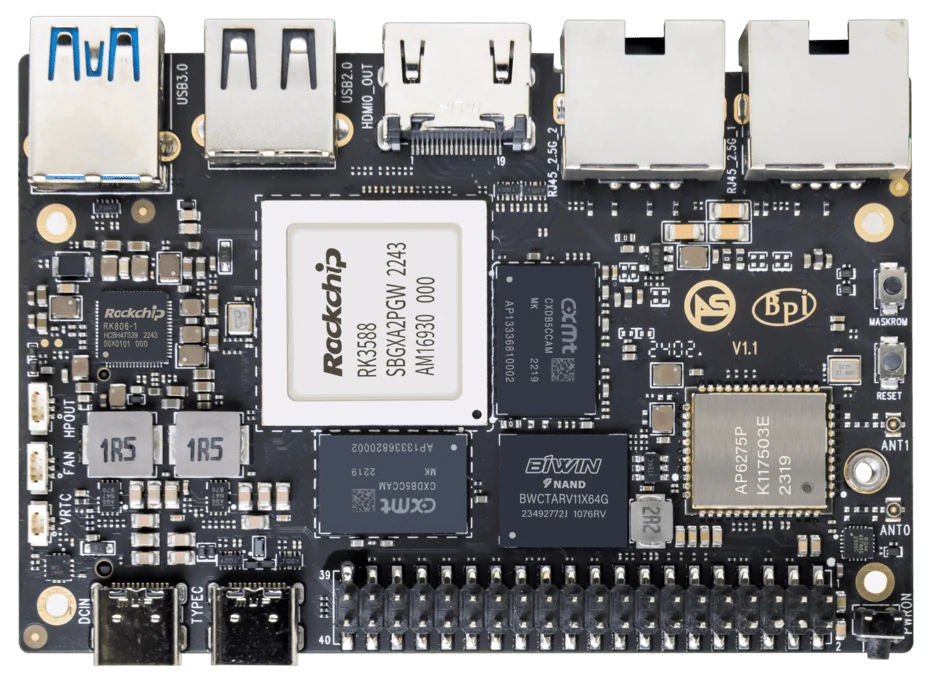
ArmSoM Sige7
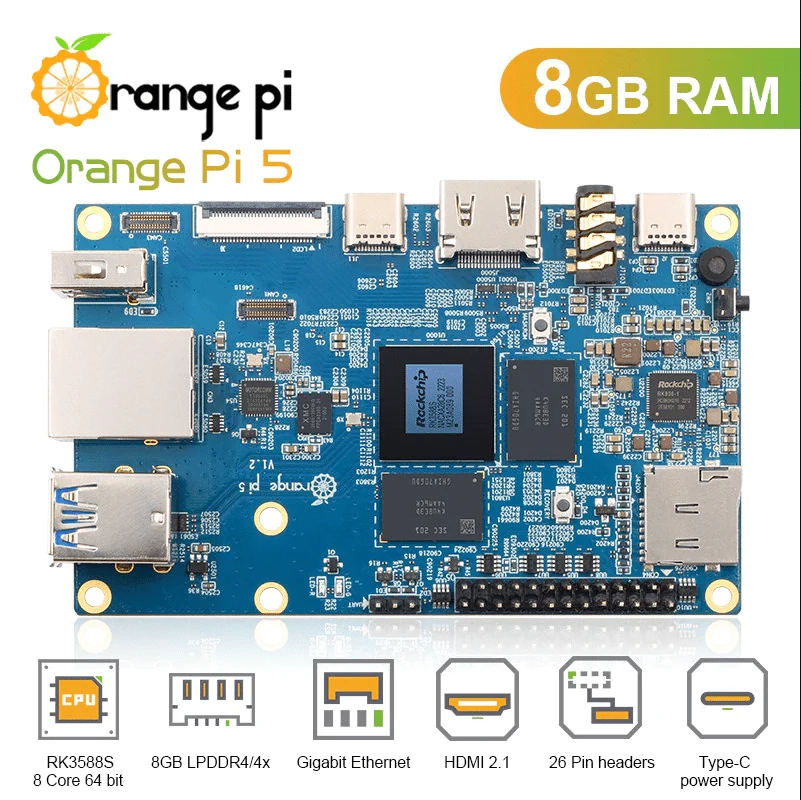
Orange Pi 5 Photo: Orange Pi / orangepi.net product listing
Images identify the boards and are not to physical scale. Pictured configurations and included accessories may differ.
Compare the board you would actually buy
The original Orange Pi 5, 5B and 5 Plus are separate boards. Match the chosen model against an ArmSoM configuration with the memory, storage and wireless components your project needs. Include the power supply, cooling and adapters in the comparison rather than treating each bare-board listing as a complete system.
Choose the closest useful system
Sige7s is relevant to compact RK3588S applications, Sige7 to RK3588 networking and storage projects, and Sige5 to RK3576 development. Compare only interfaces your application uses and ask how the board will be recovered after a failed update. An existing Orange Pi image with tested peripherals remains valuable evidence; preserve it while evaluating another platform.
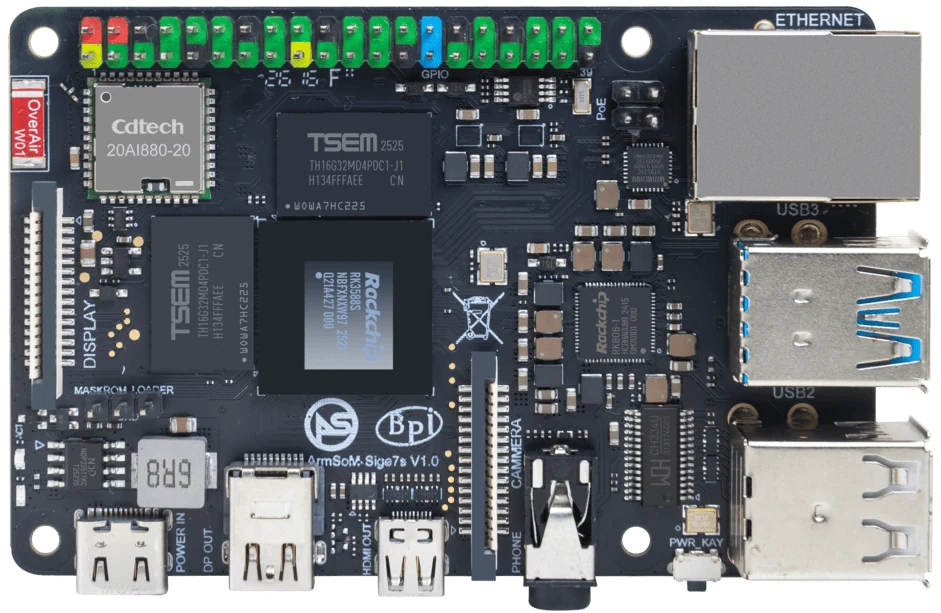
ArmSoM Sige7s
Match the choice to your requirements
Requirement or situation | What to evaluate | Decision detail |
Physical integration problem | Measure connectors and enclosure clearance | A new board may require mechanical changes. |
Software support problem | Confirm the exact missing driver | Processor similarity does not solve driver availability. |
Expansion requirement | Inspect actual routed ports | Use the board manual, not an SoC block diagram. |
Example design
Distinguish replacement from redesign
If an Orange Pi 5 installation needs replacing because a peripheral is unavailable, find out whether that peripheral can be changed without replacing the host. If the requirement is a second network or a different storage path, compare a new board configuration. These are different decisions with different costs. Keep Orange Pi 5, 5B and 5 Plus in separate rows so that optional wireless or storage features do not migrate accidentally between product descriptions.
Hardware and documentation
Sige7s · RK3588S
RK3588S, 6 TOPS NPU, Gigabit Ethernet and removable eMMC. Dimensions: 85 × 56 × 17 mm. Disconnect power before replacing eMMC.
Hardware documentation · Product details
Sige7 · RK3588
RK3588, 6 TOPS NPU, dual 2.5GbE and M.2 PCIe 3.0 x4. Check the selected eMMC and wireless configuration.
Hardware documentation · Product details
Sige5 · RK3576
RK3576, four Cortex-A72 and four Cortex-A53 cores, 6 TOPS NPU, dual Gigabit Ethernet and M.2 PCIe 2.1 x1.
Hardware documentation · Product details
Frequently asked questions
Can I reuse an Orange Pi image?
Treat the new board as a separate boot target and rebuild from a supported image.
Is RK3576 always a downgrade from RK3588?
Platform suitability depends on the workload, interfaces and support path; the model number alone is not a purchasing decision.
Product information and support
Sources
Written by ArmSoM using the documentation below. Example designs are proposals, not measured customer installations.