

A 256 MB or 512 MB Linux device needs a measured memory budget. Kernel, services, buffers and the application all share it. CM1 and P2 Pro configurations should be evaluated with the intended image, not with an assumption drawn from RAM capacity alone.
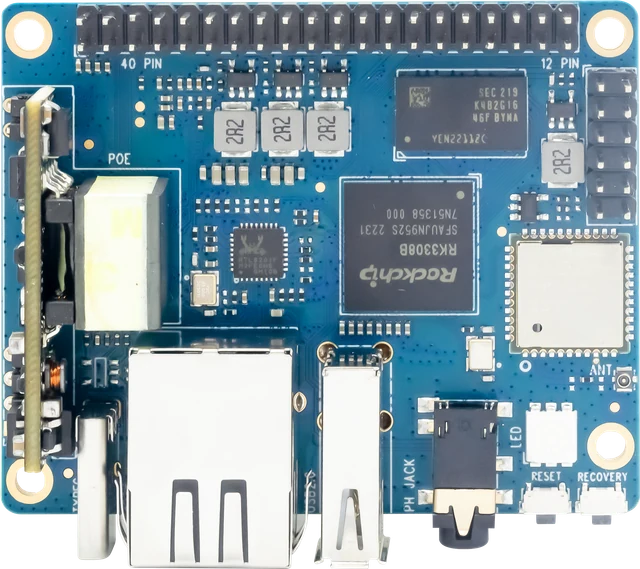
ArmSoM P2 Pro
Measure the busiest state
Run startup, normal operation and the largest expected task while observing memory use. Include logs, update tools and temporary buffers. Check whether memory pressure causes swapping, allocation failures or killed processes. A device that idles comfortably can still fail during an update or a burst of input.
Reduce work before adding swap
Disable unused services, avoid unnecessary desktop components and bound caches and queues. Choose data formats and libraries appropriate to the task. Swap may reduce some failures but can create long latency or storage wear; it is not a substitute for a viable memory budget. The correct choice depends on the storage and service requirements.
Test the failure mode
Deliberately exercise the largest supported input and the maximum queue size. Inspect memory-pressure and out-of-memory events, then verify recovery. Define what data is dropped or rejected when capacity is reached. Publish a measured application footprint with image and configuration instead of claiming that a broad software category fits in 256MB.
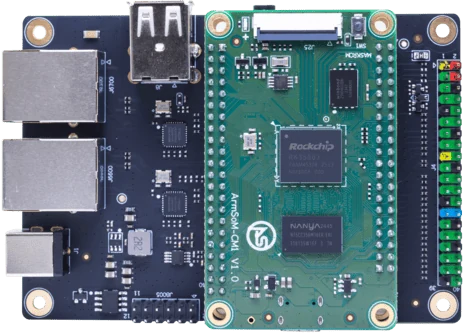
ArmSoM CM1-IO carrier and module. Carrier connectors and power input are distinct from the bare CM1 module.
Match the choice to your requirements
Requirement or situation | What to evaluate | Decision detail |
Baseline | Kernel and essential services | Measure after boot. |
Peak | Input, update and reconnect load | Record the high-water mark. |
Pressure | Bounded queues and failure handling | Test recovery explicitly. |
Example design
Measure small-memory Linux under its busiest operation
A controller can look comfortable after boot and exceed memory during an update, log rotation or network reconnect. Include those operations in the test. Track application memory separately from filesystem cache and record whether swapping or an out-of-memory event occurs. Reduce unnecessary services before choosing a larger configuration, but keep the update and recovery tools the product actually needs.
Hardware and documentation
P2 Pro · RK3308B-S
RK3308B-S, 256 MB / 512 MB DDR3, 100 Mbps Ethernet, PDM and I2S audio. Board size: 65 × 52.5 mm. Storage and power accessories depend on the ordered configuration.
Hardware documentation · Product details
CM1 · RK3506J
RK3506J with three Cortex-A7 cores, a Cortex-M0 and 256 MB / 512 MB DDR3L options. The 5 V module supply differs from the CM1-IO carrier’s 12 V input.
Hardware documentation · Product details
Frequently asked questions
Does a 64-bit CPU guarantee a desktop experience in 512MB?
No. CPU architecture and available memory address different constraints.
Product information and support
Sources
Written by ArmSoM using the documentation below. Example designs are proposals, not measured customer installations.