

USB SSD, NVMe and eMMC serve different packaging and service needs. A removable external drive may simplify recovery; onboard storage may reduce cabling. Choose the route that meets the application’s write load, capacity and power requirements.
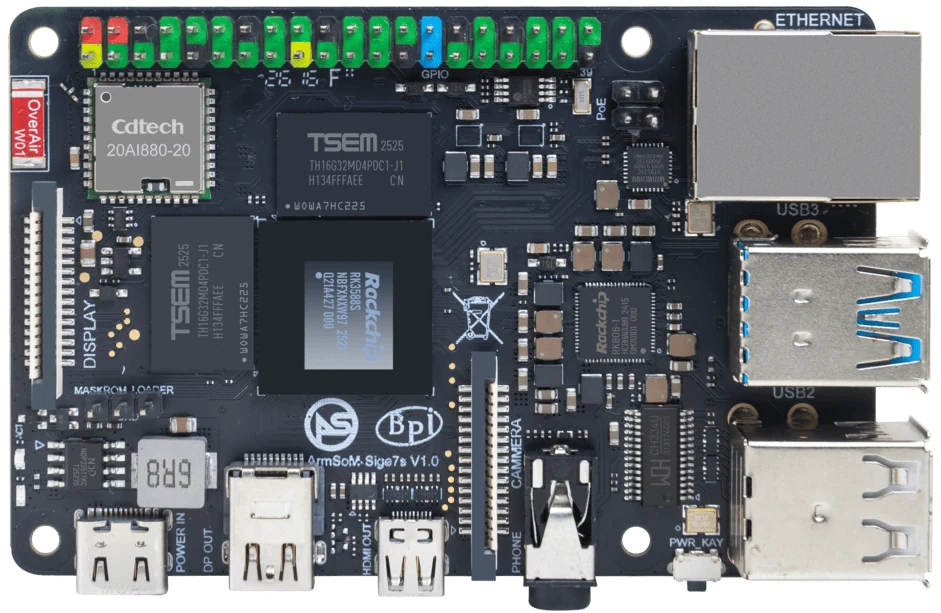
ArmSoM Sige7s
Compare the complete storage path
Include the USB bridge or PCIe adapter where one is required. Test small writes, sustained transfers and the application’s actual access pattern. Check how the device reconnects after a restart and how it behaves when nearly full. Peak sequential speed alone misses many failures that matter to an unattended system.
Use an SSD when the application needs it
USB SSDs offer flexible attachment but add a bridge, cable and power dependency. NVMe can provide a direct PCIe storage path on a board that exposes it, such as Sige7. Check bridge compatibility, drive mounting and cooling. A removable cable that is convenient at a desk may become a failure point in a portable appliance.
Design recovery around the chosen medium
Record how to replace the boot device, restore the application and recover data. Separate system configuration from large user datasets where useful. Test storage-full behavior and interrupted updates. Compare total assembly cost and service time rather than selecting only the largest benchmark number.
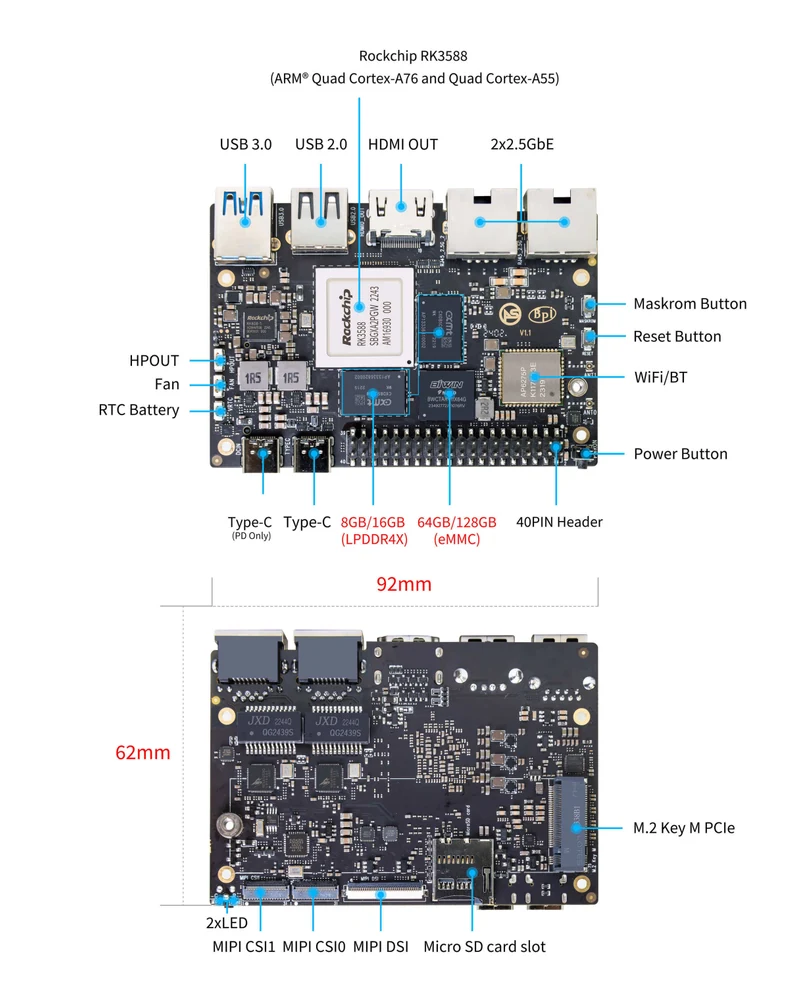
ArmSoM Sige7 board layout reference. Use the current product manual for connector and revision details.
Match the choice to your requirements
Requirement or situation | What to evaluate | Decision detail |
eMMC | Compact system storage | Check capacity and replacement method. |
USB SSD | Flexible external storage | Validate bridge, cable and power. |
NVMe | Direct PCIe storage where exposed | Validate cooling and boot support. |
Example design
Choose storage around service and write behavior
A small read-mostly controller can have different priorities from a camera recorder writing continuously. List capacity, write rate, removal requirements and the consequences of media failure. An external USB SSD can simplify replacement but adds a cable and bridge; onboard eMMC reduces external parts but changes service access. Removable eMMC offers another maintenance route. None of these choices provides a backup by itself.
Hardware and documentation
Sige7 · RK3588
RK3588, 6 TOPS NPU, dual 2.5GbE and M.2 PCIe 3.0 x4. Check the selected eMMC and wireless configuration.
Hardware documentation · Product details
Sige7s · RK3588S
RK3588S, 6 TOPS NPU, Gigabit Ethernet and removable eMMC. Dimensions: 85 × 56 × 17 mm. Disconnect power before replacing eMMC.
Hardware documentation · Product details
Frequently asked questions
Can Sige7s use every storage option supported by RK3588-family chips?
No. Use its board documentation to determine which interfaces are actually exposed.
Product information and support
Sources
Written by ArmSoM using the documentation below. Example designs are proposals, not measured customer installations.