

A negotiated 2.5GbE link is the start of a network test, not its result. Clients, switches, cables, software and storage can each limit transfer speed. Sige7 and Sige3 tests should record the complete path so the results can be reproduced.
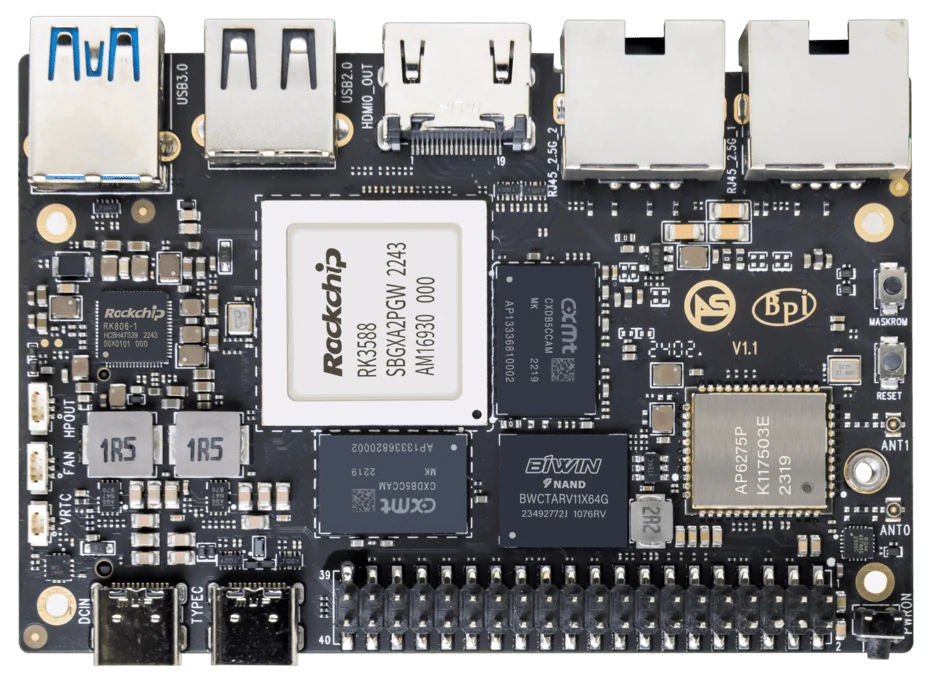
ArmSoM Sige7
Establish the link and the endpoint capacity
Check negotiated speed and errors on both endpoints. Confirm that the peer can generate the required traffic before testing the SBC. Separate network-only measurements from file transfers, then add storage and concurrent workloads. Keep direction, packet size and test duration with every reported number.
Add storage and protocol overhead
After the network baseline, test the actual file-sharing service with representative files. Large sequential files and many small files answer different questions. Observe disk activity and CPU use on both systems. Avoid presenting a cache-only copy as sustained drive performance. Sige7’s two 2.5GbE ports and Sige3’s mixed port arrangement should be tested according to the path actually used.
Report the bottleneck, not just the best number
Repeat measurements and include the environment: client, switch, cable, operating system, drive and protocol. Note whether the result is in bits or bytes per second. If one component limits the test, explain that limitation rather than implying the board cannot exceed the observed figure under any circumstances.
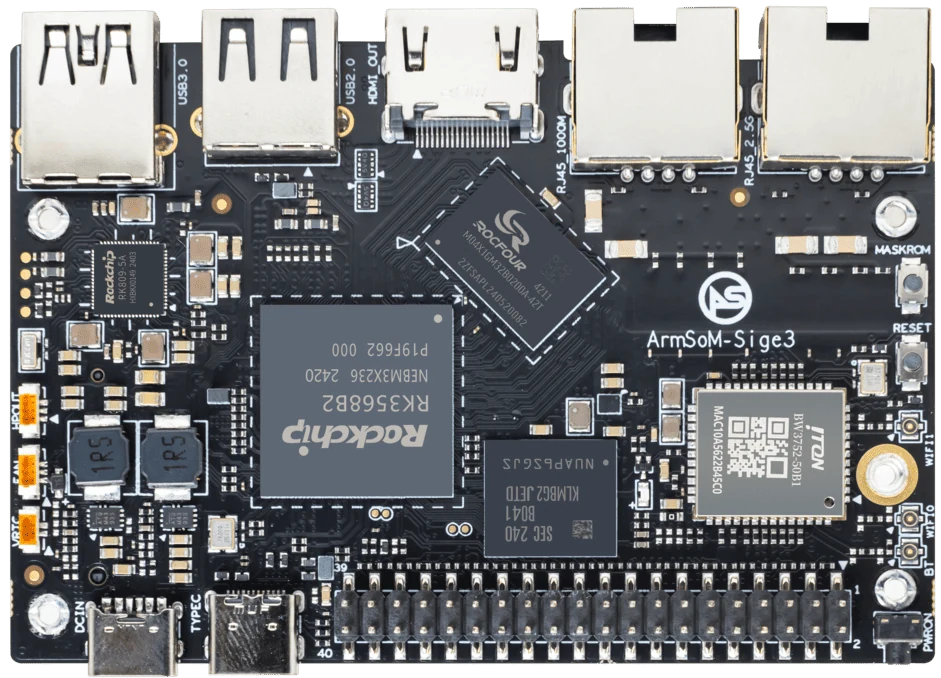
ArmSoM Sige3
Match the choice to your requirements
Requirement or situation | What to evaluate | Decision detail |
Network-only | Known-capable peer | Exclude disk effects. |
File transfer | Real protocol and dataset | Include storage and metadata overhead. |
Interpretation | Units and repeatability | Avoid cache and endpoint confusion. |
Example design
Find the bottleneck in a 2.5GbE path
Start with a network-only test between known-capable endpoints, then add the file-sharing protocol and storage. If the first test is healthy but file copies are slow, investigate the disk, filesystem, protocol and workload before blaming the Ethernet port. Multiple clients and link aggregation introduce additional conditions; do not present their combined throughput as the speed of one ordinary file transfer.
Hardware and documentation
Sige7 · RK3588
RK3588, 6 TOPS NPU, dual 2.5GbE and M.2 PCIe 3.0 x4. Check the selected eMMC and wireless configuration.
Hardware documentation · Product details
Sige3 · RK3568B2
RK3568B2 with a 2.5GbE port and a separate Gigabit Ethernet port. Consult the revision-specific manual for expansion and boot support.
Hardware documentation · Product details
Frequently asked questions
Why can a 2.5GbE link copy files much more slowly?
The transfer may be constrained by storage, protocol, CPU, client performance or small-file overhead.
Product information and support
Sources
Written by ArmSoM using the documentation below. Example designs are proposals, not measured customer installations.