

eMMC and microSD differ in how a product is assembled, serviced and recovered. Neither name guarantees durability. The useful comparison includes the chosen device, write pattern, power behavior and the steps a technician takes when the system will not boot.
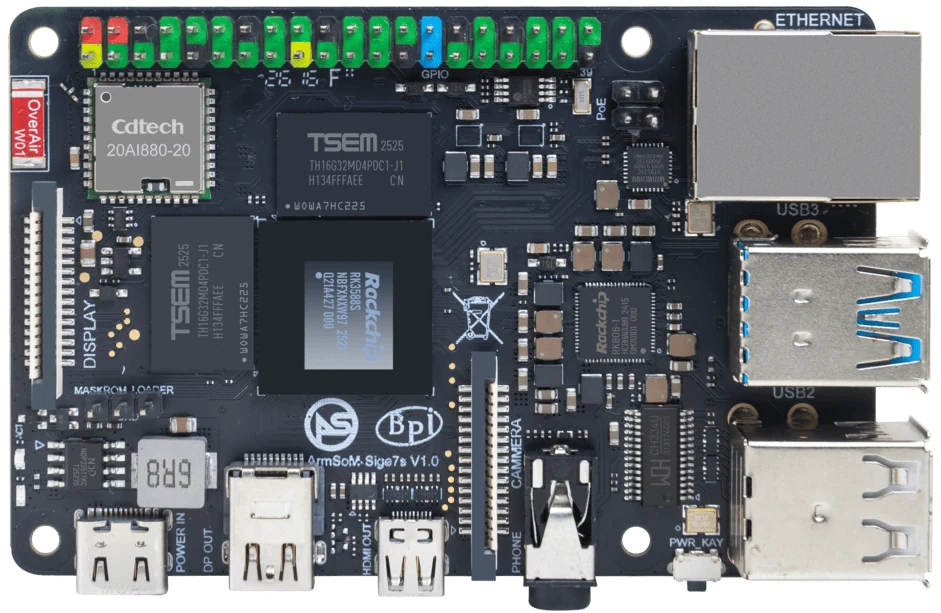
ArmSoM Sige7s
Count the writes the product makes
Logs, databases and temporary media can create more storage traffic than the main application suggests. Measure those writes over a representative run. Then choose capacity and endurance for the actual workload, with room for updates and recovery. Keep replaceability separate from reliability: a removable device still needs backups.
Design for recovery, not just boot speed
Separate the operating-system image from application data where practical. Keep a verified backup, know how to enter recovery mode and test restoring onto a spare device. Benchmark the application’s small random writes as well as sequential transfers. Logs, databases and repeated power interruptions can matter more than a headline transfer rate. A replaceable SD card can be appropriate for prototyping if the operational risks are addressed.
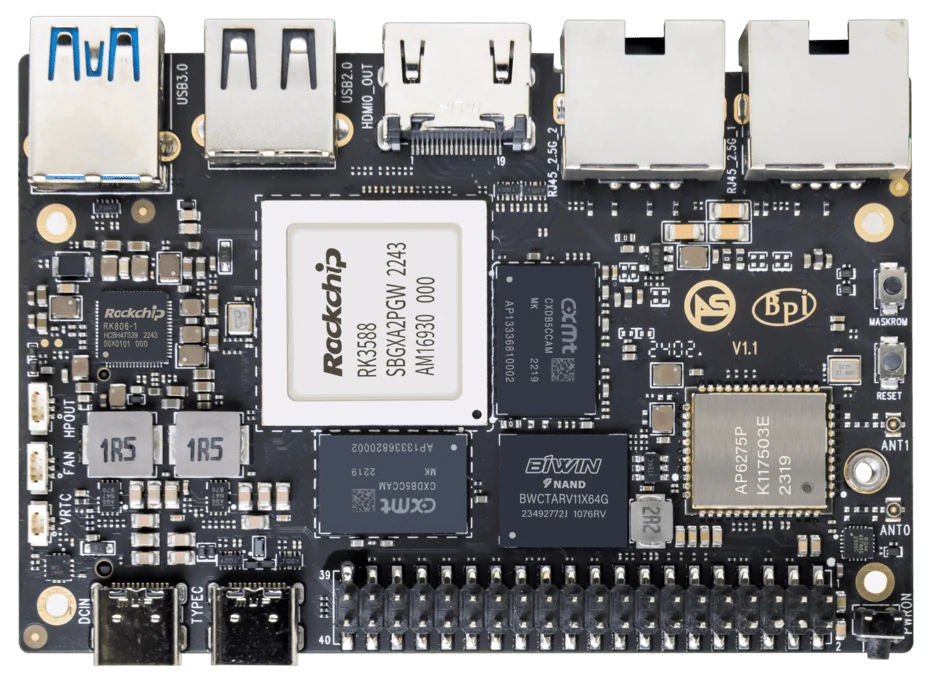
ArmSoM Sige7
Match the choice to your requirements
Requirement or situation | What to evaluate | Decision detail |
Prototype with frequent image changes | microSD may simplify iteration | Preserve a known-good card. |
Fixed embedded image | Evaluate eMMC configuration | Define field recovery and replacement. |
Write-heavy service | Measure sustained application writes | Media endurance and power-loss behaviour matter. |
Example design
Design a replaceable appliance image
A kiosk with a read-mostly operating system and changing local data can use separate recovery and data procedures. Whether the system uses onboard eMMC, removable eMMC or microSD, keep a tested installation image and a backup of the changing data. Document which device contains the bootloader. Replacing one storage device will not recover a system if a different device contains incompatible boot firmware.
Hardware and documentation
Sige7s · RK3588S
RK3588S, 6 TOPS NPU, Gigabit Ethernet and removable eMMC. Dimensions: 85 × 56 × 17 mm. Disconnect power before replacing eMMC.
Hardware documentation · Product details
Sige7 · RK3588
RK3588, 6 TOPS NPU, dual 2.5GbE and M.2 PCIe 3.0 x4. Check the selected eMMC and wireless configuration.
Hardware documentation · Product details
Frequently asked questions
Is removable eMMC hot-swappable?
No. Treat it as a powered-down maintenance operation.
Will copying files alone create a bootable spare?
Not necessarily. Boot firmware and partition layout must be reproduced as well.
Product information and support
Sources
Written by ArmSoM using the documentation below. Example designs are proposals, not measured customer installations.