

Android availability on a processor does not guarantee that a particular board supports your touchscreen, camera or application. Choose an ArmSoM image by its supported hardware and release notes, then test the functions the finished terminal will expose.
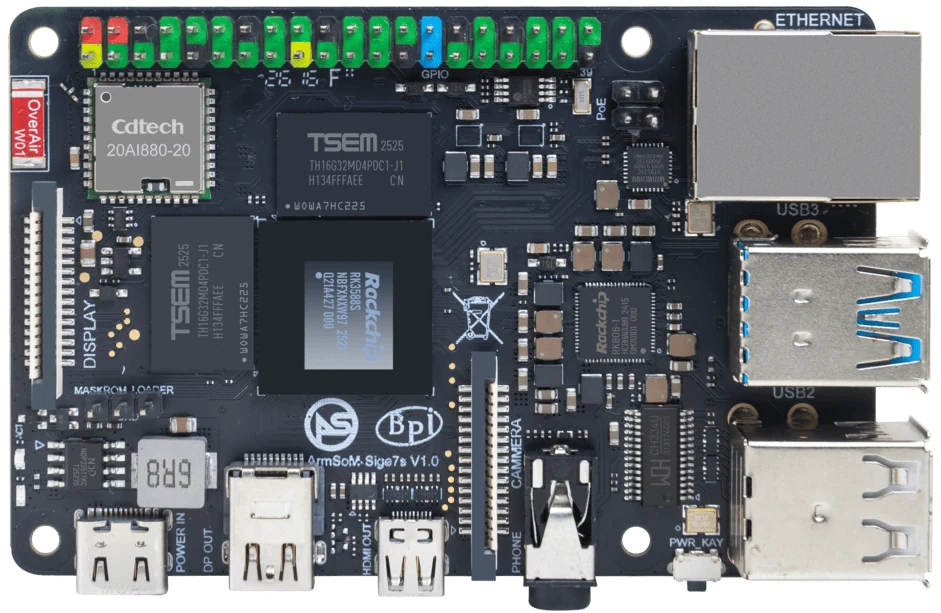
ArmSoM Sige7s
Use the board image as the starting point
Record the Android release, build identifier and supported peripherals for the exact board. Install the intended application and exercise permissions, display rotation, audio and network recovery. If the product depends on a camera or vendor service, test that dependency early; a successful home-screen boot covers very little of the final workload.
Test the application at the edges
Install the intended application and validate touch input, display rotation, audio, suspend/resume and network reconnection. A signage player needs reliable long playback; an industrial touch terminal may care more about peripheral reconnect and controlled updates. Keep a recovery image and decide how application data survives upgrades. An existing Raspberry Pi or Orange Pi Android setup may remain preferable when its exact feature set is already verified.
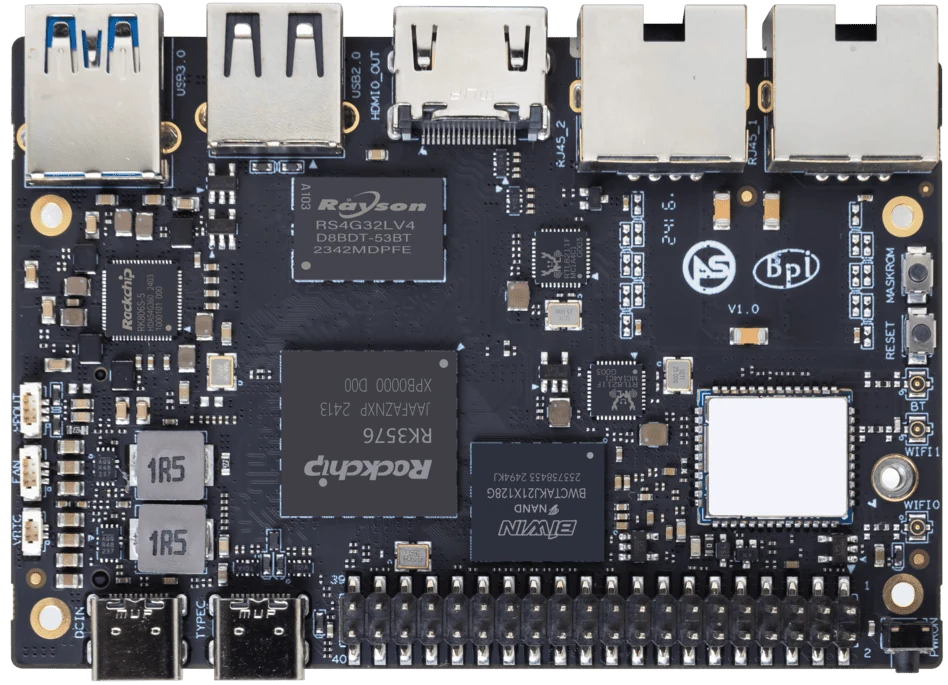
ArmSoM Sige5
Match the choice to your requirements
Requirement or situation | What to evaluate | Decision detail |
Touch terminal | Validate touch, rotation and wake | A working HDMI desktop is insufficient. |
Media player | Validate codecs in the actual app | Hardware capability does not prove API access. |
Managed fleet | Define updates and rollback | Record image versions on every unit. |
Example design
An Android terminal is more than a booting image
A terminal application may depend on a touchscreen, camera, audio routing, a particular graphics API and a managed update process. List those dependencies before choosing an Android image. Booting to a home screen proves only a small part of the integration. If an application needs Google services or a particular certification, request explicit confirmation for the delivered product rather than assuming that Android branding implies those services are included.
Hardware and documentation
Sige5 · RK3576
RK3576, four Cortex-A72 and four Cortex-A53 cores, 6 TOPS NPU, dual Gigabit Ethernet and M.2 PCIe 2.1 x1.
Hardware documentation · Product details
Sige7s · RK3588S
RK3588S, 6 TOPS NPU, Gigabit Ethernet and removable eMMC. Dimensions: 85 × 56 × 17 mm. Disconnect power before replacing eMMC.
Hardware documentation · Product details
Frequently asked questions
Does Android support imply Google Play certification?
No. Confirm certification and commercial requirements separately.
Product information and support
Sources
Written by ArmSoM using the documentation below. Example designs are proposals, not measured customer installations.