

A small home server often runs several modest services that become demanding together during backups or updates. Storage, memory and recovery access can matter more than idle CPU usage. Size the board around the busiest routine period, not the empty desktop.
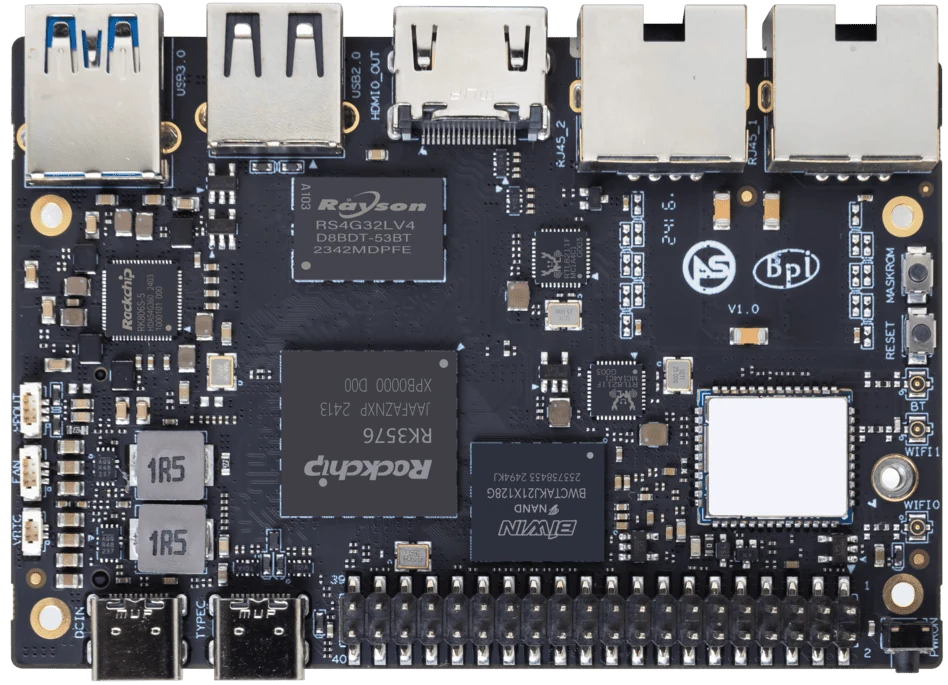
ArmSoM Sige5
List the services and their shared resources
Record each service’s memory, storage and network needs, including scheduled tasks. Check for overlapping backup, indexing and update jobs. Test them together with the intended containers or packages and inspect resource pressure. Keep a restore procedure for application data separately from the operating-system image.
Make data ownership clear
Keep each service’s persistent state in a documented location and use appropriate account permissions. Version configuration while protecting secrets. Plan storage growth and log retention. Containers can simplify packaging, but a volume still needs backup and a host still needs updates.
Practise a clean rebuild
Use the recorded image and service versions to rebuild on spare storage, then restore data. Test reboot and network interruption. Choose Sige7 when its documented storage and network arrangement addresses the workload; Sige5 may fit a service stack with different I/O needs. Neither choice removes the need for an independent backup.
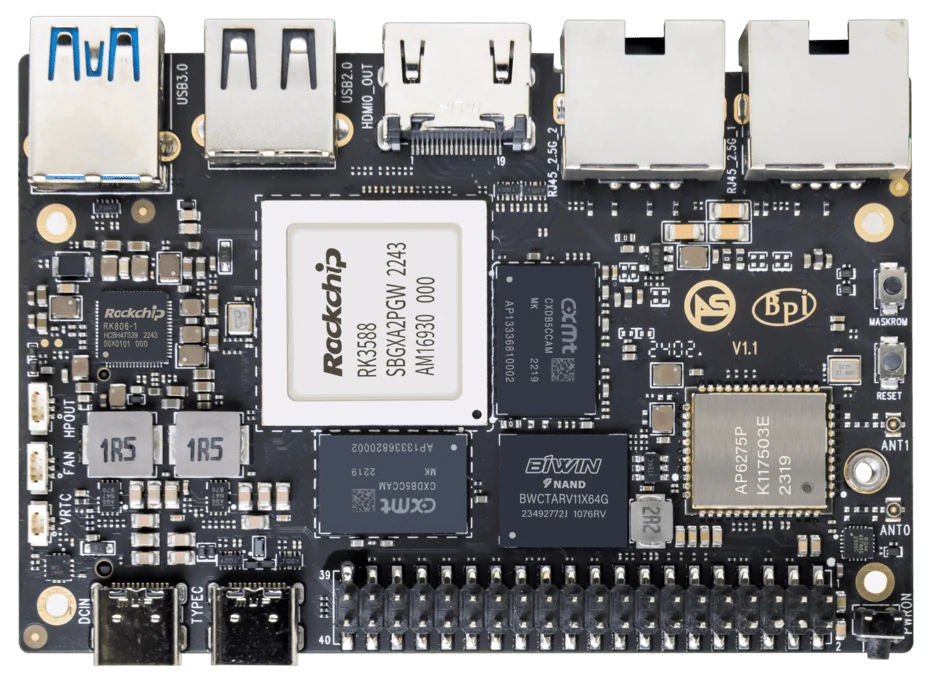
ArmSoM Sige7
Match the choice to your requirements
Requirement or situation | What to evaluate | Decision detail |
Services | Required architecture and resources | Add one at a time. |
Storage | Data, logs and growth | Set retention and backup. |
Recovery | Fresh installation plus restore | Prove the rebuild procedure. |
Example design
Start a home server with one recoverable service
Deploy one service, document its configuration and restore its data on a clean test installation before adding more. This makes the storage and backup arrangement understandable. As services accumulate, track memory, open ports, logs and update responsibilities. A quiet idle system can still run out of resources during backup, indexing or an upgrade. The useful capacity limit is the combined workload you have measured.
Hardware and documentation
Sige5 · RK3576
RK3576, four Cortex-A72 and four Cortex-A53 cores, 6 TOPS NPU, dual Gigabit Ethernet and M.2 PCIe 2.1 x1.
Hardware documentation · Product details
Sige7 · RK3588
RK3588, 6 TOPS NPU, dual 2.5GbE and M.2 PCIe 3.0 x4. Check the selected eMMC and wireless configuration.
Hardware documentation · Product details
Frequently asked questions
Can I run every service in one container?
It may be possible, but separate service lifecycles and data boundaries are often easier to maintain. Choose based on the application rather than convenience alone.
Product information and support
Sources
Written by ArmSoM using the documentation below. Example designs are proposals, not measured customer installations.