

An NVMe drive detected by Linux is not necessarily a bootable setup. Sige7 booting depends on the supported firmware, image and storage arrangement. Follow the current board instructions and keep a recovery medium available while testing the new path.
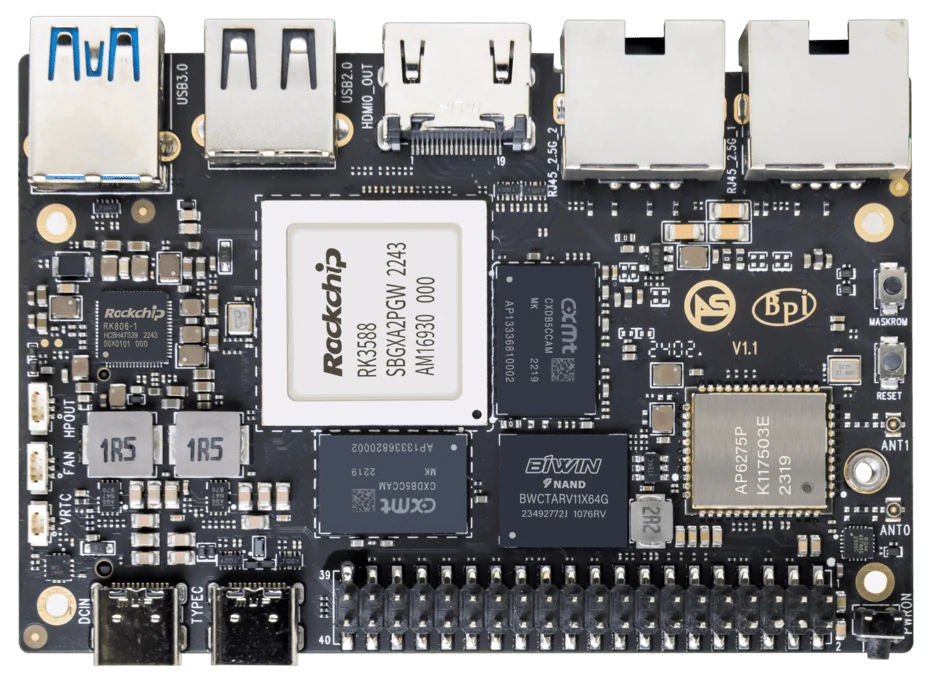
ArmSoM Sige7
Identify which component starts the boot
Record where the bootloader resides and how it locates the operating system. Check the current Sige7 boot documentation for the selected image rather than inferring the sequence from the M.2 slot. Verify a cold start with the final storage arrangement, then test the documented recovery procedure before changing a working installation.
Follow the supported boot flow
Use the Sige7 documentation and image maintainer’s instructions for that release. Some arrangements can retain an early boot stage on another medium while using NVMe for the operating system. That distinction matters when removing an SD card or replacing a module. Label the final arrangement precisely so another operator can recover it.
Test the conditions that fail in deployment
Perform repeated cold starts, a normal software update and a controlled rollback. Confirm the system still boots when optional peripherals are absent. Record serial logs for failures. Keep spare recovery media and the matching installation instructions with the deployment rather than relying on a changing online download.
Match the choice to your requirements
Requirement or situation | What to evaluate | Decision detail |
Before writing | Backup and device identification | Protect existing data. |
After installation | Confirm boot stages and mounts | Describe the actual architecture. |
Before deployment | Cold starts and recovery | Retain a known-good image. |
Example design
Prove recovery before declaring NVMe boot complete
A system booting once from NVMe has not yet demonstrated a maintainable boot configuration. Identify where the firmware, kernel and root filesystem are stored, then document the dependencies. Test cold startup and recovery when the NVMe device is missing or replaced. Keep a known-good fallback medium and avoid overwriting the only copy of important data while changing boot order.
Hardware and documentation
Sige7 · RK3588
RK3588, 6 TOPS NPU, dual 2.5GbE and M.2 PCIe 3.0 x4. Check the selected eMMC and wireless configuration.
Hardware documentation · Product details
Frequently asked questions
Does detecting an NVMe drive prove it is bootable?
No. Detection, root-filesystem use and firmware boot support are different checks.
Product information and support
Sources
Written by ArmSoM using the documentation below. Example designs are proposals, not measured customer installations.