

A practical look at larger models, more flexible memory management and tools that help bring edge AI projects from evaluation to deployment.
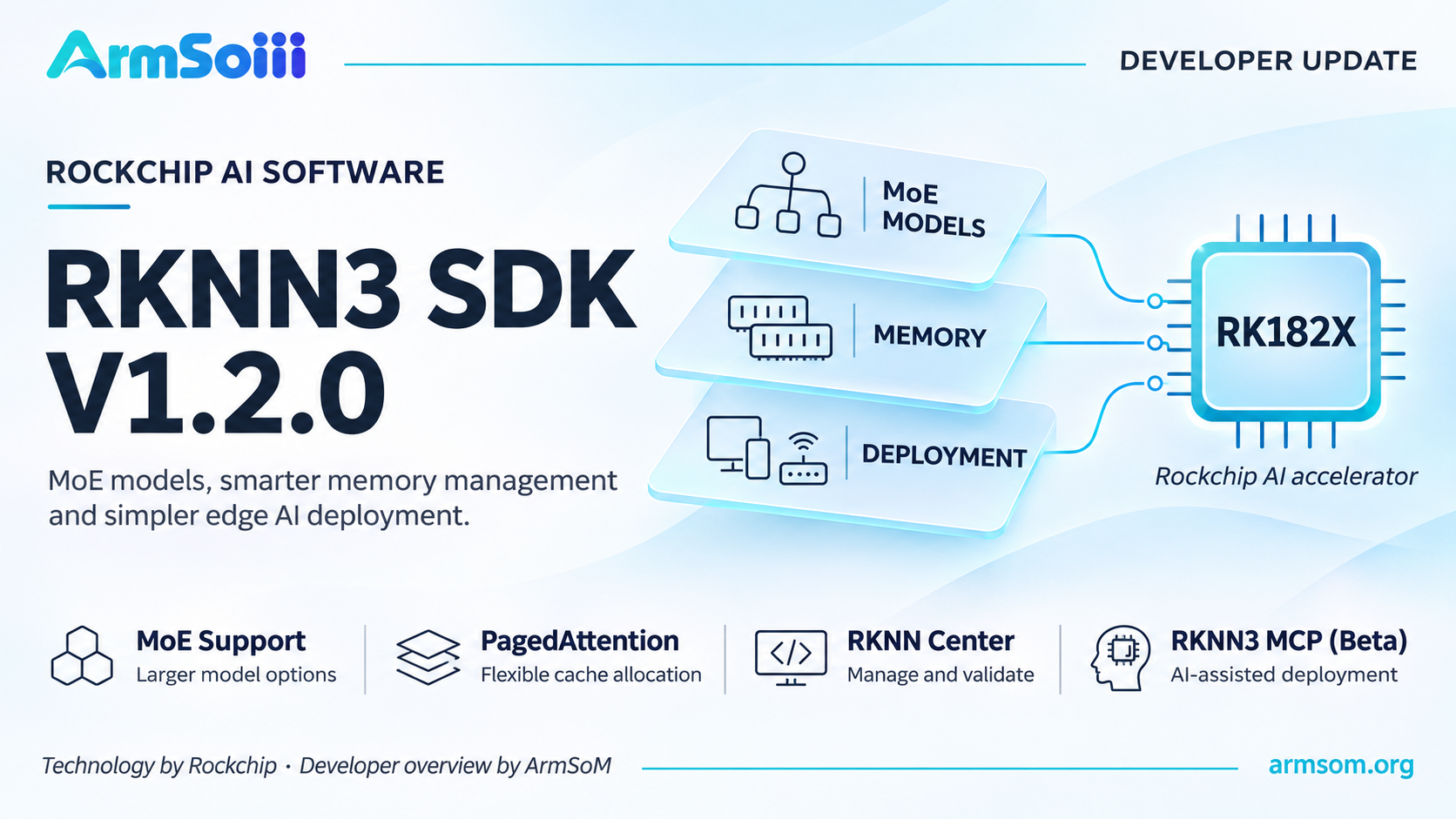
An ArmSoM developer overview of Rockchip’s RKNN3 SDK V1.2.0.
Deploying AI at the edge involves more than choosing a model. Developers also need to manage memory, connect accelerators, validate model outputs and integrate inference into an application.
Rockchip’s RKNN3 SDK V1.2.0 addresses these practical challenges with new Mixture-of-Experts support, PagedAttention, separate LoRA weight exports and expanded host-platform support. Alongside RKNN Center and the new RKNN3 MCP deployment assistant, the update gives developers more options for building and evaluating local AI applications.
For teams working with RK182X accelerators, the release expands both the range of available models and the tools used to bring them into a working system.
MoE Support Opens the Door to Larger Models
A major addition in V1.2.0 is support for Mixture-of-Experts, or MoE, models. Rockchip’s updated model list includes Qwen3-30B-A3B, Qwen3.5-35B-A3B and MiniCPM-V-4.7-35B-A3B. The release also adds PagedAttention and support for exporting multiple separate LoRA weights. Rockchip RKNN3 Toolkit
MoE architectures activate selected experts for each token, allowing a model to have a large total parameter count while using a smaller portion during computation. For example, Qwen3.5-35B-A3B has 35 billion total parameters and approximately 3 billion activated parameters. Qwen model card
This distinction matters when planning a deployment. Activated parameter count is not the same as memory footprint. Model weights, quantization, runtime buffers and attention state still contribute to memory requirements.
For developers, MoE support creates an opportunity to evaluate larger models for local assistants, document analysis and multimodal applications. The appropriate hardware configuration still depends on the exact model and workload.
Better Memory Management and More Flexible Adaptation
Long conversations and concurrent requests can put significant pressure on inference memory.
The new PagedAttention support is intended to improve attention-cache memory management, reducing fragmentation and making memory allocation more flexible. This is particularly relevant when evaluating services with varying input lengths or multiple active sessions.
The practical benefits should be measured using representative workloads: a short single-user demonstration places very different demands on a system from a document-processing service handling several requests.
V1.2.0 also supports exporting multiple LoRA weights separately. This gives developers more flexibility when maintaining specialized adaptations of a base model—for example, different terminology or response behavior for technical support, industrial documentation or a particular business domain.
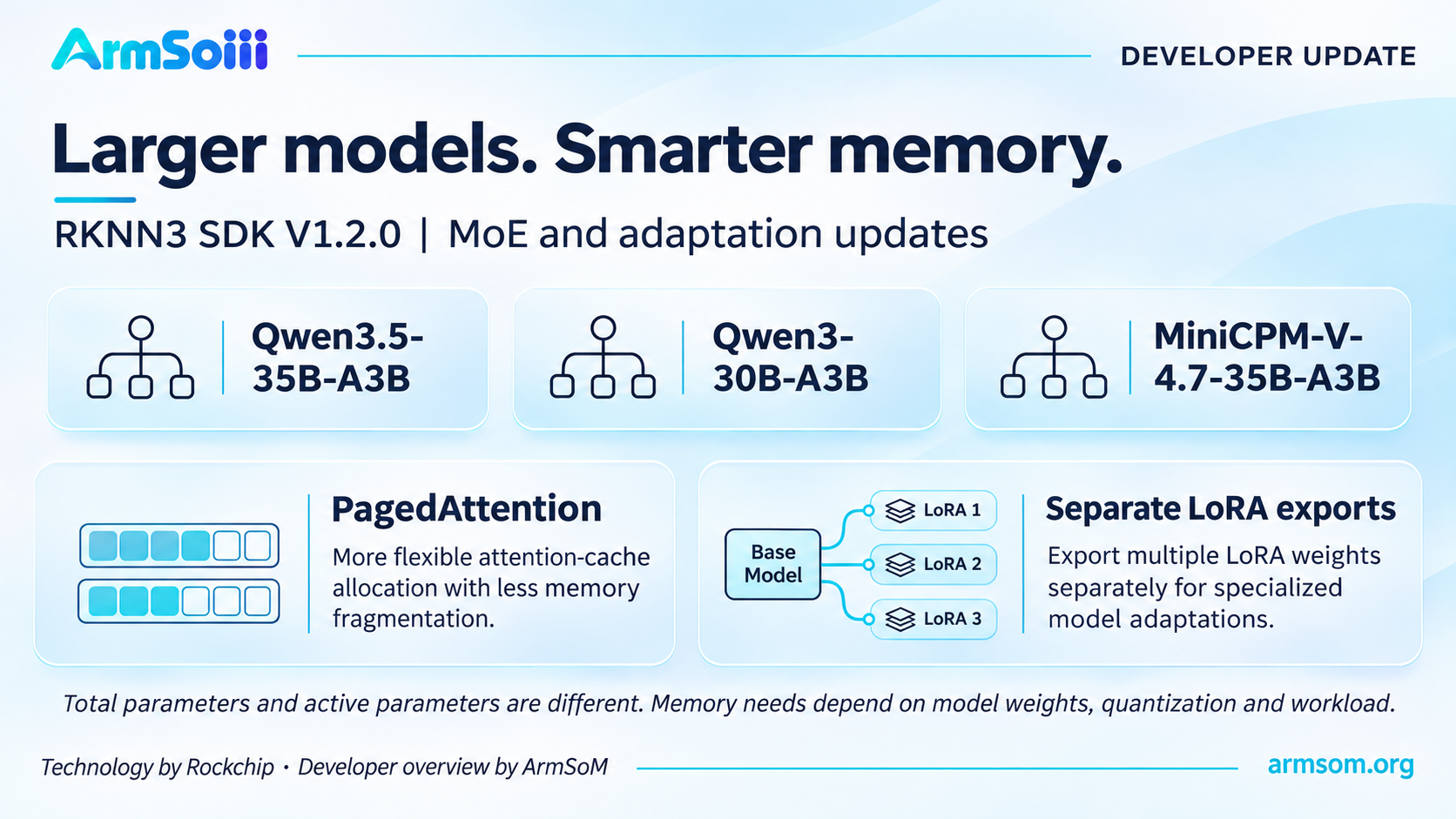
MoE support, attention-cache management and separate LoRA exports address different parts of the deployment problem.
RKNN Center Brings Development Tasks Together
RKNN Center provides a common workspace for connecting devices, obtaining models, configuring inference services and checking results.
Its workflow covers:
Device management: Connect and manage supported accelerators and development boards.
Model management: Download model resources or import local files.
Inference services: Configure models, service ports and inference parameters.
Application debugging: Test model behavior through connected applications.
Performance analysis: Run benchmarks, monitor devices and inspect logs.
The supplied RKNN Center release materials also describe independent API services, supported multi-card deployments, a desktop interface and command-line tools. OpenAI-compatible interfaces provide an integration path for applications that already use that API format.
Bringing these tasks together can shorten the feedback loop between selecting a model and understanding how it behaves on the target device.
RKNN Center’s model resources span several Rockchip platforms. Developers should still check the software stack and model package required by each target; a shared management interface does not make models interchangeable across different NPUs.
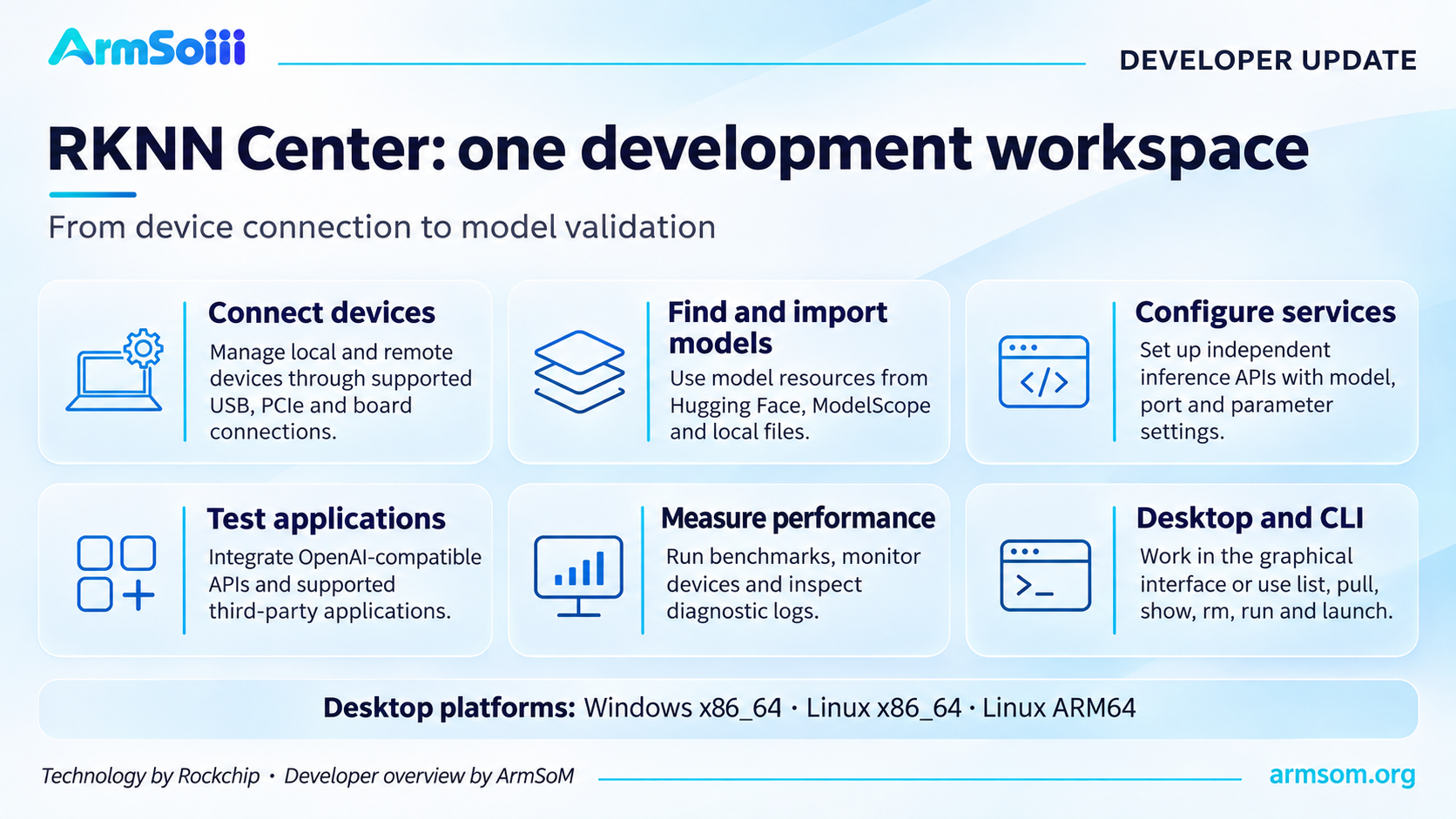
RKNN Center combines device, model, service and validation tasks. Desktop platform support is shown separately from SDK coprocessor support.
A Broader Model Library for Real Applications
The update introduces model options across language, vision, speech, document understanding and robotics.
Area | Examples highlighted in the update | Potential evaluation scenarios |
Language models | Spark-X2.5, miniCPM5-2B | Local assistants and text processing |
Vision-language models | MiniCPM-V-4.7-1B, Mage-VL | Image understanding and multimodal interaction |
Speech | Qwen3-ForcedAligner, speaker diarization and on-device ASR | Transcription, speech alignment and speaker analysis |
OCR | Unlimited-OCR, dots OCR series | Document recognition and information extraction |
Robotics | GR00T-N1.7-3B, openpi | Vision-language-action and embodied-AI experiments |
Decision models | Intern-Decision-0.8B | Decision-oriented agent workflows |
Rockchip’s RKNN3 Model Zoo provides model-specific examples and deployment guidance. These are useful starting points for checking dependencies, export requirements and supported configurations.
According to the release materials, RKNN-Model now provides more than 80 models through Hugging Face and ModelScope, covering areas including LLMs, VLMs, speech recognition and OCR.
For a first prototype, starting with a prepared model package can help separate application development from the additional work of model conversion.
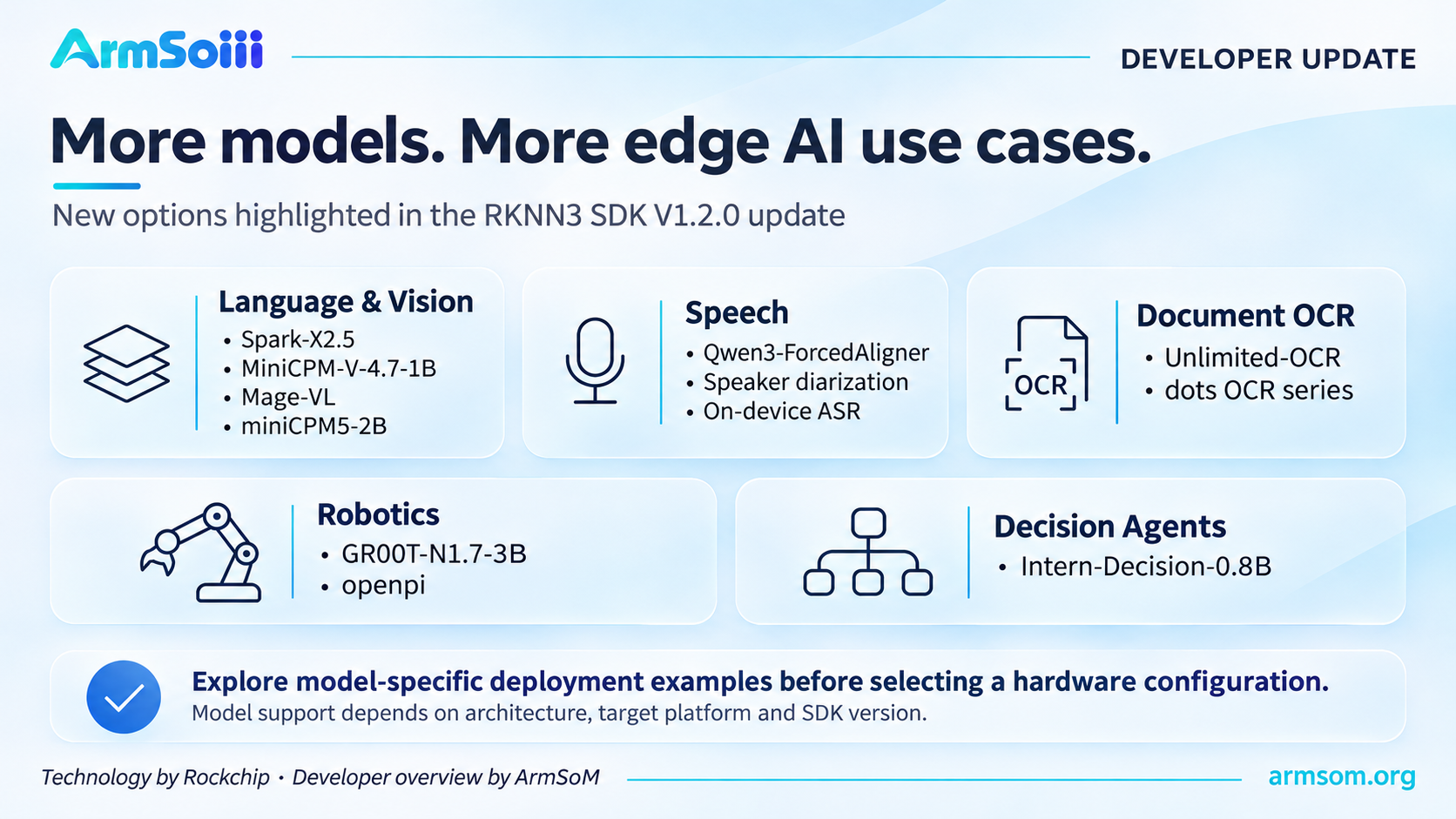
Examples highlighted in the release materials. Check the package and deployment guidance for each model.
RKNN3 MCP Adds AI-Assisted Deployment
The new RKNN3 MCP deployment assistant, introduced in Beta, connects AI development tools with RKNN3 deployment knowledge and workflows.
Developers can describe a deployment requirement in natural language. The assistant helps plan the process and, through a compatible Agent, coordinate tasks such as model analysis, ONNX export, RKNN3 conversion, accuracy checks and deployment to a board. Rockchip RKNN3 documentation
The accompanying materials highlight four capabilities:
Deployment planning based on the model and target platform.
Execution of the required steps after the plan is confirmed.
Tracking of task stages, generated artifacts and validation results.
Recovery of recorded task state after an interruption.
Model processing and board operations run in the user’s local environment or work server. Model weights and source code do not need to be uploaded to the RKNN3 MCP Server.
This approach can reduce repetitive setup work while keeping deployment artifacts and validation results available for engineering review.
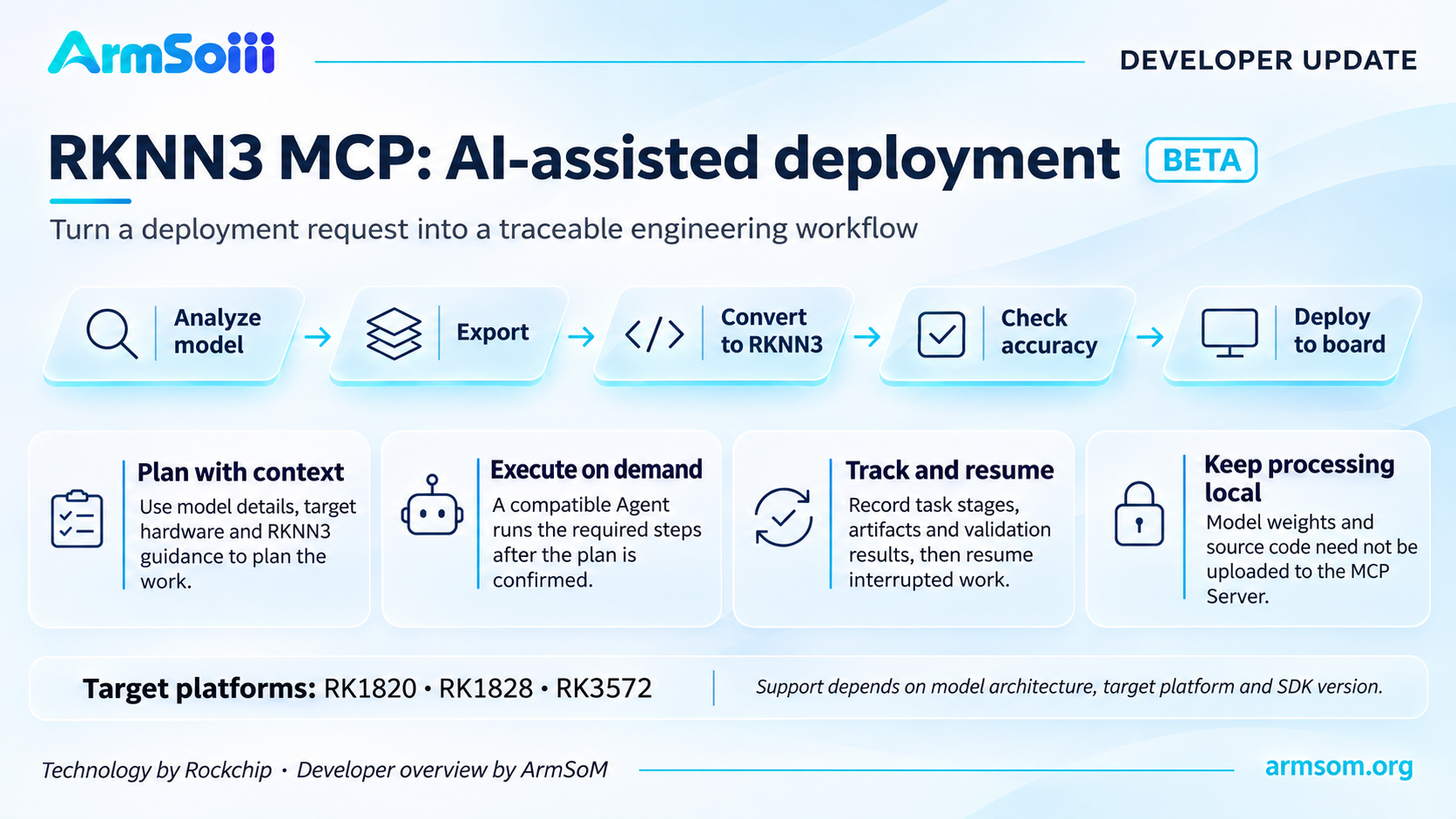
RKNN3 MCP is an AI-assisted deployment workflow in Beta; specific support depends on model, platform and SDK version.
Expanded Linux, macOS and Windows Support
V1.2.0 expands RK182X coprocessor development to Linux x86_64 and macOS arm64. This gives developers more flexibility to work with an external RK182X accelerator from their existing development machines.
Windows receives Ethernet communication support for RK182X coprocessor mode, together with USB communication improvements. The release also includes operator fixes, numerical-precision improvements and Ethernet stability fixes. Rockchip V1.2.0 changelog
The macOS addition concerns the supported SDK coprocessor workflow. RKNN Center’s supplied desktop-platform list separately identifies Windows x86_64, Linux x86_64 and Linux ARM64.
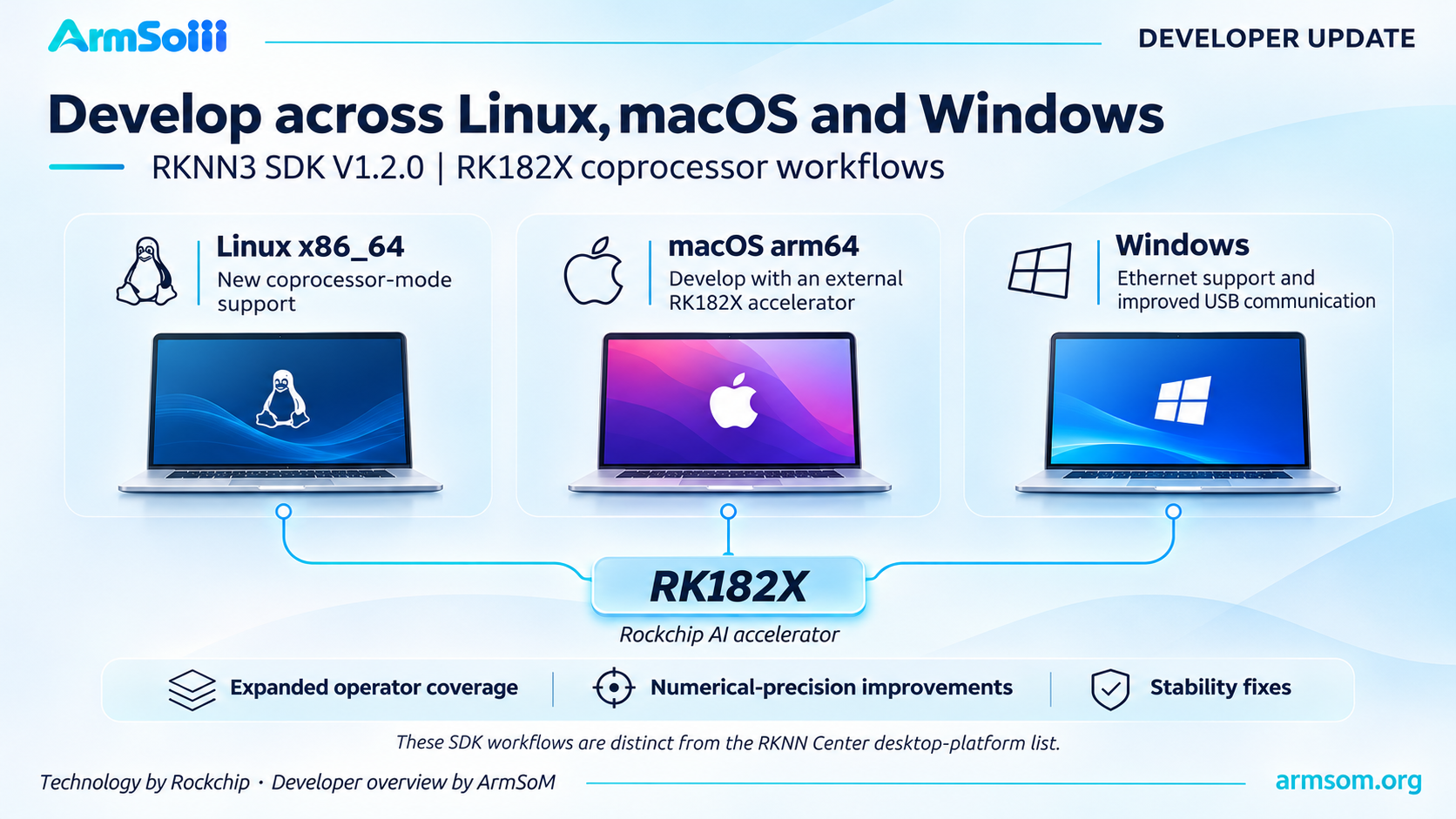
RK182X coprocessor workflows gain broader host-platform support. This is a conceptual diagram, not a hardware product photograph.
Choosing the Right Path for an ArmSoM Project
For ArmSoM developers, it is important to distinguish the host processor from the accelerator running the model.
RK1820 and RK1828 operate as coprocessors, while RK3572 uses its integrated NPU in the RKNN3 workflow. Rockchip lists these deployment configurations in its RKNN3 platform documentation.
An RK3588- or RK3576-based board can serve as a host in supported RK182X configurations. Its own integrated NPU continues to use the applicable RKNN-Toolkit2 or RKLLM software stack. Adding RKNN3 to a host system does not automatically give that host’s internal NPU the same capabilities as an RK182X accelerator. RKNN-Toolkit2 platform guidance
When evaluating the update, start with one supported model and a defined application task. Measure output quality, memory use, response latency and sustained operation before increasing context length, concurrency or model size.
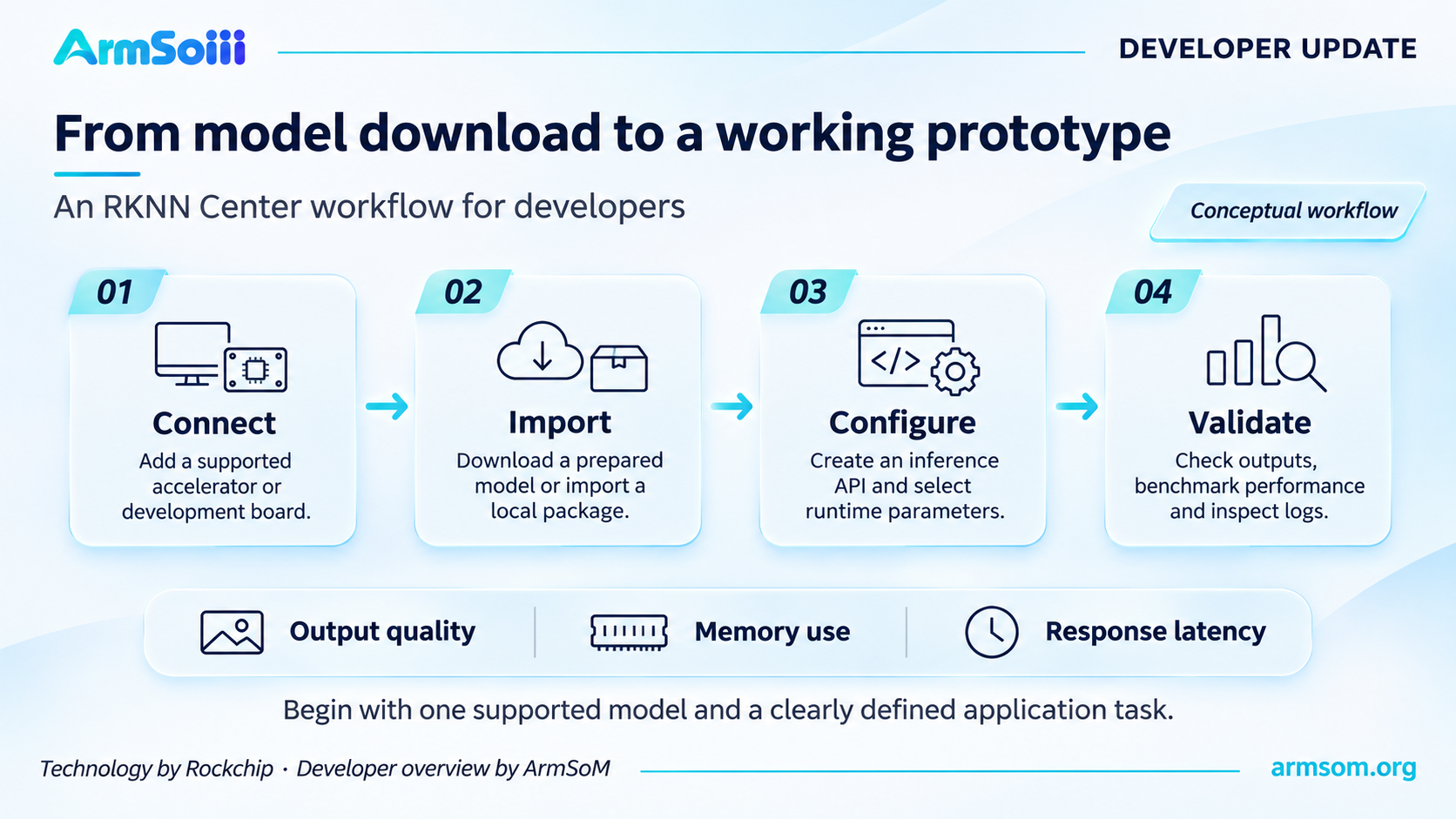
A suggested evaluation sequence for a first prototype. Conceptual workflow prepared by ArmSoM.
For hardware documentation and project resources, visit ArmSoM Documentation. To discuss a hardware platform or an OEM/ODM project, contact sales@armsom.org.
About these illustrations
These English editorial graphics were prepared for ArmSoM using the supplied release materials. RK182X silicon and the RKNN software technologies discussed here are from Rockchip. Diagrammed workflows are explanatory illustrations rather than product photographs or official software screenshots.