

Moving an object detector to RKNN includes conversion, output checking and application integration. A converted file is not enough evidence that detections remain useful. Test it against the original model before wiring it into the camera service.
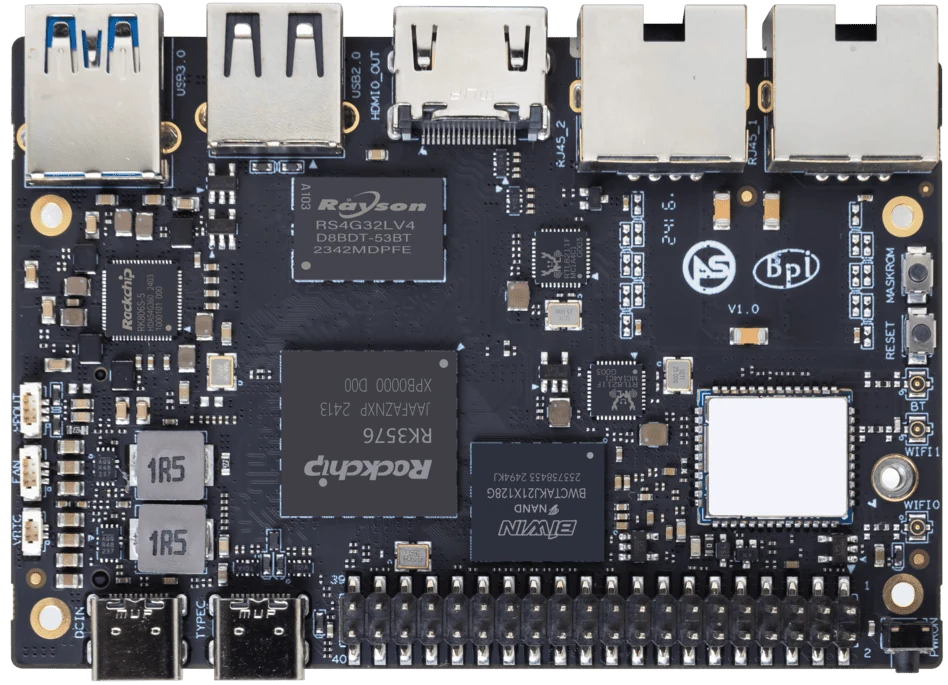
ArmSoM Sige5
Keep a reference set of inputs and outputs
Save representative images, expected outputs and the original model configuration. Compare the converted model on those inputs, including small objects, difficult lighting and negative examples. Check preprocessing and output decoding before blaming quantization for a mismatch. Record conversion and runtime versions with the model artifact.
Convert with supported tooling
Use the relevant Rockchip toolkit and model-zoo example as a starting point, confirming the target platform and required versions. Review conversion warnings and operator support. Calibration data should resemble the images the device will see. A successful export is only an intermediate milestone; compare detections on difficult and empty scenes as well as obvious targets.
Integrate the camera path incrementally
Run saved images before live capture on Sige5 or Sige7s. Then measure capture, preprocessing, inference and postprocessing separately. Watch for color-order, stride and aspect-ratio mistakes. Record how stale frames are handled when processing is slower than capture. A responsive application may need to discard old frames rather than queue them indefinitely.
Match the choice to your requirements
Requirement or situation | What to evaluate | Decision detail |
Reference | Model and evaluation set | Save predictions before conversion. |
Conversion | Target, precision and warnings | Check accuracy after export. |
Application | Live camera and queue policy | Measure end-to-end latency. |
Example design
Use a saved-image checkpoint before live detection
Save a small set containing easy, difficult and negative examples. Compare the original model’s outputs with the converted model before introducing camera timing, color conversion or buffering. If a discrepancy appears, this checkpoint narrows the investigation to conversion and preprocessing. Once outputs are acceptable, add the live camera and measure frame age. Keep class labels and confidence handling consistent across both versions.
Hardware and documentation
Sige5 · RK3576
RK3576, four Cortex-A72 and four Cortex-A53 cores, 6 TOPS NPU, dual Gigabit Ethernet and M.2 PCIe 2.1 x1.
Hardware documentation · Product details
Sige7s · RK3588S
RK3588S, 6 TOPS NPU, Gigabit Ethernet and removable eMMC. Dimensions: 85 × 56 × 17 mm. Disconnect power before replacing eMMC.
Hardware documentation · Product details
Frequently asked questions
Can I assume every ONNX model converts?
No. Architecture, operators, dynamic shapes and toolkit support must be checked.
Product information and support
Sources
Written by ArmSoM using the documentation below. Example designs are proposals, not measured customer installations.