

NanoPi R6S is designed around three Ethernet connections and FriendlyWrt. Sige7 provides two 2.5GbE ports together with onboard Wi-Fi 6, an M.2 NVMe socket and a 40-pin expansion header. Evaluate Sige7 when the appliance needs local storage and application I/O as well as networking.
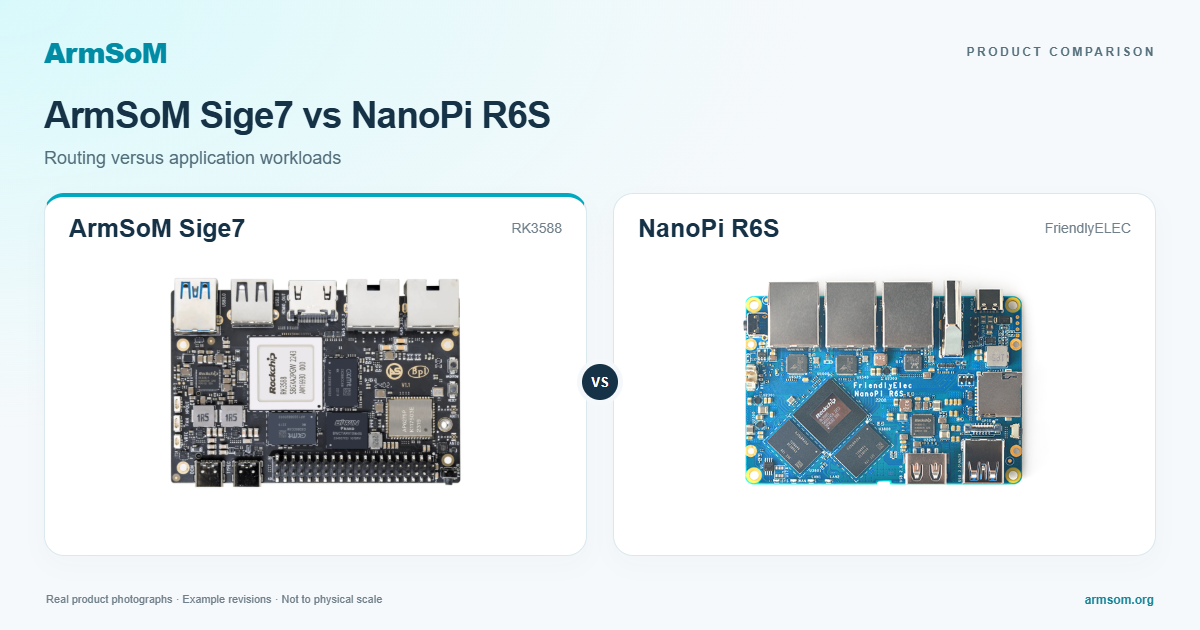
Product photos: ArmSoM; FriendlyELEC. Whole boards, independently fitted and not shown to physical scale. The comparison does not imply a partnership between the brands.
Specifications at a glance
Design factor | ArmSoM Sige7 | FriendlyELEC NanoPi R6S |
Processor | RK3588 | RK3588S |
Ethernet | 2 × 2.5GbE | 2 × 2.5GbE + 1 × Gigabit Ethernet |
Internal SSD socket | M.2 M-key, PCIe 3.0 ×4 | No M.2 SSD socket in documented board layout |
Wireless | Onboard Wi-Fi 6 + Bluetooth | External wireless hardware required |
GPIO access | 40-pin header | 12-pin FPC expansion; separate debug header |
PCB footprint | 92 × 62 mm | 90 × 62 mm |
Software starting point | ArmSoM board images and interface guides | FriendlyWrt and other FriendlyELEC images |
A third network port can be the deciding feature
NanoPi R6S gives a router three physical Ethernet connections: two at 2.5GbE and one at Gigabit speed. That arrangement can serve a WAN connection and two separate wired segments without another adapter. FriendlyELEC's FriendlyWrt documentation also gives routing projects a product-specific software starting point.
Sige7 has two wired ports. It should not be presented as having more network connections than R6S. If three native Ethernet ports are mandatory, R6S has the more direct layout. The case for Sige7 starts when the application needs additional functions beyond routing.
Where ArmSoM's broader I/O helps
Sige7 includes a PCIe 3.0 ×4 M.2 connection, onboard Wi-Fi 6 and a 40-pin expansion header. A system collecting local data, running an application and retaining results can use those interfaces without treating every additional function as an external USB device.
For example, an edge appliance might communicate with equipment on one wired link, send results upstream through the other and write events to an internal SSD. Its wireless interface could serve a supported maintenance connection. This is an architectural example, not a claim that a particular operating-system image enables every mode automatically.
The R6S can use supported external storage and wireless peripherals. Compare their physical and software requirements if they are needed. Include the occupied USB ports, cable retention, enclosure arrangement and restart behaviour in the final bill of materials.
Router software and application software need different reviews
FriendlyWrt is a practical reason to consider R6S for a routing-focused project. Review the exact release, enabled packages, update process and recovery procedure. A vendor-supported image can save integration work when its networking functions match the requirement.
For Sige7, start with the operating system and interface instructions provided for that board. If the product requires a firewall or router distribution, establish its board support before committing to deployment. A general Linux image and two Ethernet ports do not automatically provide a maintained router product.
Test throughput with the real services enabled
A negotiated 2.5GbE link is not an encrypted routing benchmark. Packet size, rules, traffic shaping, VPN protocol and competing application load can change throughput and latency. Use the same network test and settings when evaluating both boards.
For an application gateway, add its storage writes and local processing to the test. For a router, test the required filtering and recovery behaviour. Run long enough to observe the thermal state inside the intended case. Neither the processor name nor a short unfiltered transfer establishes the sustained result.
Choose by the job inside the enclosure
Sige7 is a useful R6S alternative for a two-network appliance that also needs internal NVMe storage, onboard wireless or accessible application I/O. R6S is a strong fit when three Ethernet ports and FriendlyWrt are the centre of the design.
The boards are close in PCB footprint but use different connector layouts and expansion arrangements. Compare the case and cooling as part of the system. A decision based on the actual services and connections is more defensible than treating either product as the universal winner.
Questions before you choose
Does Sige7 have more Ethernet ports than R6S?
No. Sige7 has two 2.5GbE ports; R6S adds a third Gigabit Ethernet port. Sige7 offers different advantages in storage, wireless and expansion.
Is this a measured router-speed comparison?
No. It is a hardware and software-selection guide. VPN, firewall and routing performance need matched testing.
Evaluate ArmSoM Sige7 for your application
Check your required interfaces, software image, memory and storage configuration before choosing a prototype. Explore ArmSoM Sige7 and read the hardware documentation.
References and comparison method
Published by ArmSoM. This guide compares manufacturer specifications checked on 25 November 2026. Recommendations reflect the documented interfaces and application requirements; this is not a hands-on benchmark or a compatibility certification.