

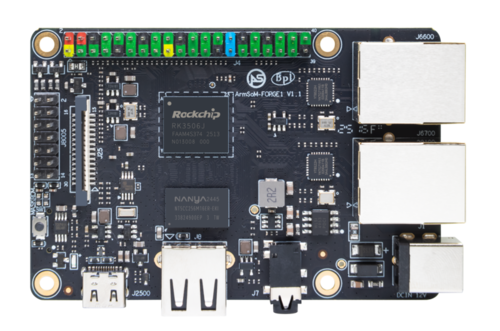
ArmSoM Forge1 product photograph.
An industrial gateway connects equipment to software that can store, visualize or act on its data. Its quality depends on consistent communication and recovery when something fails. Processor speed is usually only one part of that problem.
ArmSoM Forge1 is an RK3506J development platform to evaluate for this role. Its documentation identifies RS485 and CAN connections and two 100 Mb/s Ethernet ports. The finished gateway still needs an application-specific electrical, enclosure and software design.
Define the traffic before choosing the hardware
List the field devices, their protocols, expected message rates and allowed response times. RS485 describes an electrical interface; it does not tell you whether a device speaks Modbus RTU or a vendor-specific protocol. Likewise, CAN frames do not define the meaning of their payload without the equipment's protocol description.
Decide which direction commands may travel. A gateway that only reports measurements has different failure consequences from one that changes machine settings. Document how stale data is marked and what happens when a command cannot be delivered.
Review the physical interfaces
Use the Forge1 pinout and schematic resources to verify connector assignment, transceiver circuitry and power. Check termination, biasing, grounding and cable routing against the connected equipment. Confirm isolation and surge-protection requirements rather than assuming they are included in a development board.
For RS485, account for half-duplex direction control and the timing expected by the device. Linux exposes RS485 configuration through the serial driver, but supported settings depend on that driver and hardware. Read back the applied configuration during bring-up.
For CAN, inspect interface status and error counters. On an already configured test bus, these are useful read-only observations:
ip -details -statistics link show can0
candump -n 10 can0
The second command requires can-utils and waits for ten received frames. Use the actual interface name. Configure bitrate and wiring to match the test system before connecting; do not experiment on an operating production bus.
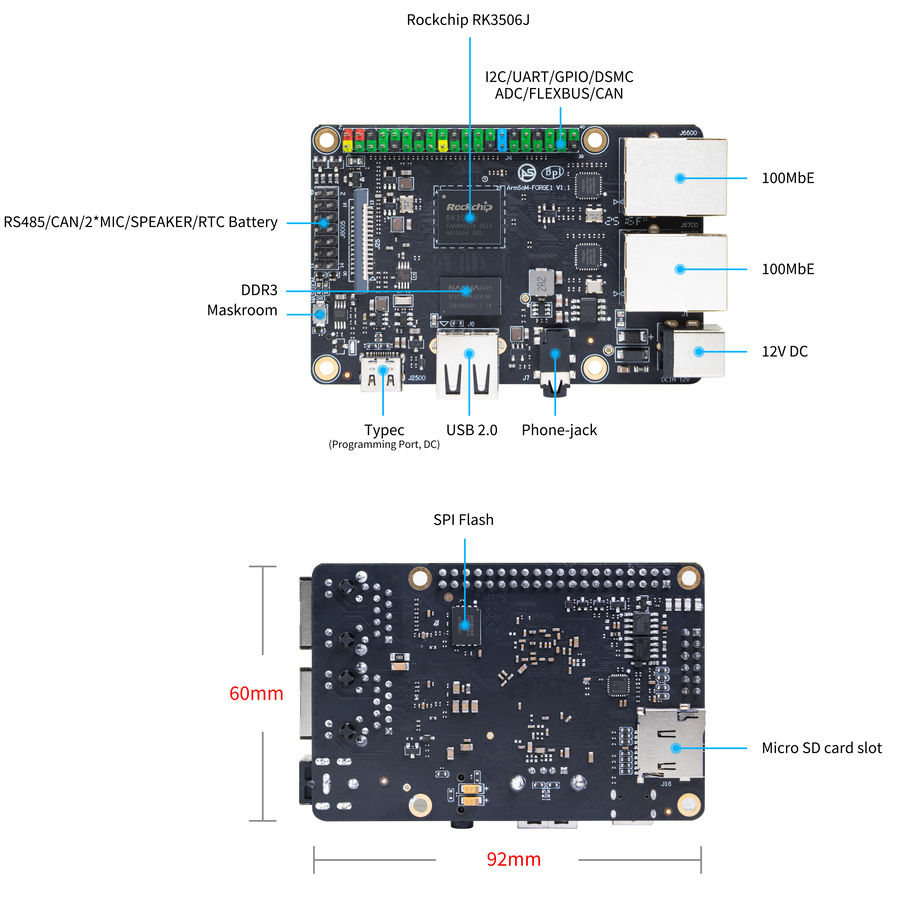
Forge1 interface reference for planning the physical connections in a Linux gateway. Confirm the required interfaces and pin assignments for your hardware revision. Image: ArmSoM.
Separate acquisition from network publishing
Give the field-bus worker a clear job: collect and validate messages, attach timestamps and place normalized records in a bounded queue. Let another component handle remote connections and publishing. A cloud reconnect should not block local polling indefinitely.
Define queue limits and overflow behavior. If the uplink fails, decide whether to retain the latest value, buffer a time window or preserve every event. Storage capacity and write endurance must support that choice. Report dropped records explicitly so an apparently healthy dashboard does not conceal missing data.
Design recovery into the application
Use timeouts and bounded retries for communication. Distinguish a missing device, a malformed response and an unavailable network service in logs. Those faults need different remedies.
A watchdog can help recover a stalled system, but feeding it blindly from a timer defeats the purpose. Tie health reporting to useful progress, such as functioning acquisition and queue processing. Preserve enough fault information to understand why a restart occurred.
Keep control-loop requirements explicit. A Linux gateway with a working field bus is not automatically a deterministic controller. If an operation has a strict deadline, validate the complete scheduling and communication design or place that function in an appropriate dedicated control component.
Test a failure matrix
Test | Expected behavior to define |
Field device disconnects | Mark its data stale and recover without blocking other devices |
Uplink is unavailable | Continue local work within the buffering policy |
Storage fills | Preserve service and report the condition |
Application restarts | Restore configuration and avoid duplicate commands |
Power is interrupted | Recover to a defined operational state |
Repeat these checks in the intended enclosure and environment. Product-level electrical and environmental validation belongs to the complete gateway, including its power supply and external wiring.
To discuss a Forge1-based gateway, send ArmSoM the device protocols, interface count, environment, buffering needs and required recovery behavior.