

Sige5’s mainline Linux work concerns the drivers and board support available upstream for RK3576. An older progress report describes a point in that work, not the capabilities of every later image. Use it alongside the kernel and image you intend to deploy.
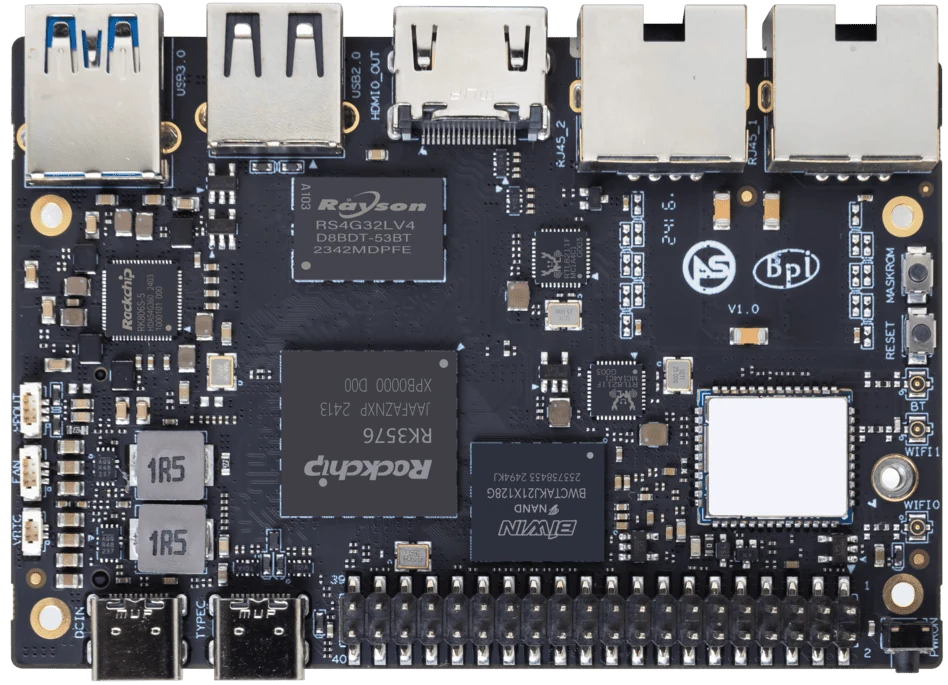
ArmSoM Sige5
Separate historical progress from the deployed kernel
Keep the date of each upstream milestone attached to its claim. For a current installation, record the kernel release and the drivers needed by the application. Boot, Ethernet, graphics, camera and NPU support can reach usable states at different times. Test the required interfaces instead of treating “mainline support” as one all-or-nothing result.
Check the features your image includes
Record the kernel source and release or commit, bootloader, device tree and userspace packages. Test boot media, network ports, graphics, audio, cameras and the NPU separately. An upstream SoC driver may still need board configuration or firmware. Leave untested features marked as untested.
Let the application decide the kernel choice
A server may work with upstream support before every media function is ready. A camera appliance may still need a vendor kernel. Compare images on spare storage and keep logs for failures. Record the test date and required features so the decision can be revisited when either image changes.
Match the choice to your requirements
Requirement or situation | What to evaluate | Decision detail |
Upstream status | Patch or merge reference | Shows development progress. |
Image support | Release and configuration | Shows what the installed system includes. |
Functional result | Reproducible test log | Shows what works on the actual board. |
Example design
Convert a mainline progress report into a current test record
The historical Sige5 mainline article describes progress at a particular point in time. To evaluate a current kernel, select a named release and record boot, Ethernet, storage, graphics, camera and acceleration separately. A feature merged upstream may still require suitable firmware, user-space components or board configuration. Keep the historical milestones, but place current verification beside them so readers can distinguish development history from tested availability.
Hardware and documentation
Sige5 · RK3576
RK3576, four Cortex-A72 and four Cortex-A53 cores, 6 TOPS NPU, dual Gigabit Ethernet and M.2 PCIe 2.1 x1.
Hardware documentation · Product details
Frequently asked questions
Does a newer kernel number guarantee more working peripherals?
No. Driver inclusion, configuration, firmware and userspace support all matter.
What does an upstream progress report tell me?
It records development status at a particular date. Check that date, the patch or merge reference, and whether your selected image includes the relevant support.
Product information and support
Sources
Written by ArmSoM using the documentation below. Example designs are proposals, not measured customer installations.