

ArmSoM Sige7s fits Wi-Fi 6 and four USB Type-A ports onto an 85 × 56 mm RK3588S board. Its compact outline and integrated peripherals make it a relevant NanoPi M6V2 alternative for terminals and connected devices. This comparison also explains when the design needs a different storage or camera connection.
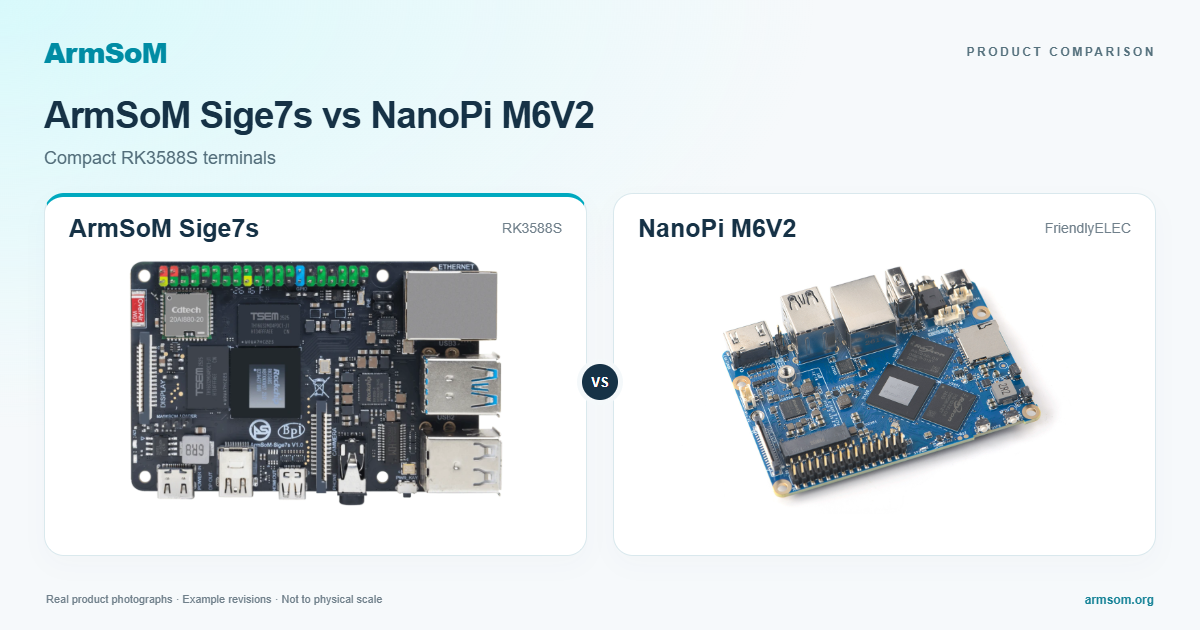
Product photographs: ArmSoM; FriendlyELEC. Example hardware revisions are shown independently fitted, not to physical scale. The comparison does not imply a partnership between the brands.
Specifications at a glance
Design question | ArmSoM Sige7s | FriendlyELEC NanoPi M6V2 |
处理器 | RK3588S | RK3588S |
足迹 | 85 × 56 mm | 90 × 62 mm |
记忆家族 v1 上 | LPDDR4/4x | LPDDR5 |
以太网 | 1 × Gigabit Ethernet | 1 × Gigabit Ethernet |
无线 | Onboard Wi-Fi 6 + Bluetooth | M.2 E-key wireless expansion |
USB Type-A | 2 × USB 3.0 + 2 × USB 2.0 | 1 × USB 3.0 + 2 × USB 2.0 |
Internal NVMe socket | Not listed | M.2, PCIe 2.1 ×1 |
Expansion header | 40 针 | 30-pin |
Use the M6V2 specification, not the family name
FriendlyELEC has several RK3588-family boards. This comparison uses NanoPi M6V2 specifically. The hardware section identifies RK3588S and one native Gigabit Ethernet port. Do not borrow the networking specification of a NanoPC or router board just because it appears in the same documentation family.
Sige7s uses the same RK3588S platform. It places wireless and four USB Type-A connections on a smaller board, so the main comparison for a terminal is how much external hardware is required to connect its peripherals.
Why Sige7s suits a compact connected terminal
The smaller 85 × 56 mm footprint, onboard Wi-Fi 6 and four USB Type-A ports make Sige7s a useful starting point for a terminal that connects several peripherals. A typical design might use Ethernet for the main network, wireless for setup, and USB for a camera, input device or external storage.
Compared with the M6V2's three USB Type-A ports, Sige7s provides one additional socket and a second USB 3.0 connection. This may avoid an external hub for a particular device layout. It does not prove independent bandwidth for every connected device, so exercise the full peripheral set during testing.
Sige7s also offers USB-C DisplayPort alongside HDMI. That is worth considering when the selected display already supports the intended connection. Check power and display cabling separately; a monitor with a USB-C port does not necessarily supply the right power or support the desired video mode.
Storage and camera connections to account for
FriendlyELEC documents an M.2 M-key socket for a PCIe 2.1 one-lane SSD and a separate E-key wireless expansion connector. If internal NVMe is a requirement, M6V2 has a straightforward connector-level advantage over Sige7s. Remember to include the SSD, wireless module if needed and their mounting requirements in the comparison.
的 M6V2 hardware specification also lists two four-lane MIPI display interfaces and two camera interface paths. These can make it a stronger candidate for a custom panel or camera assembly. Sensor drivers, ribbon pinouts and simultaneous-use modes still need confirmation.
Its LPDDR5 memory is a further reason to test memory-intensive applications on the exact configuration. The memory type alone does not establish a measured advantage for inference, desktop use or video playback.
Choose the storage arrangement before the enclosure
If eMMC is sufficient, both boards offer an eMMC module approach and microSD support. If application data must live on an internal SSD, M6V2 avoids relying on an external USB enclosure. If a removable external drive is preferred for service, Sige7s's USB layout may suit that workflow better.
Build the storage arrangement you will actually ship. Test interrupted writes, controlled power cycles and recovery using non-production data. Account for cooling and cable strain relief, especially when a compact terminal contains a radio and sustained storage activity.
What the comparison means for an ArmSoM buyer
Choose Sige7s for a compact terminal whose requirements fit its integrated wireless, USB arrangement and display options. If the ArmSoM design needs internal NVMe, review Sige7. M6V2 offers its own internal SSD and MIPI arrangements, shown above, which should be included in any migration plan.
Use the Sige7s guide to check power, connector functions and image resources. A familiar 40-pin format helps organize a prototype, but each peripheral still needs a pin and voltage check.
常见问题
Does NanoPi M6V2 have dual Ethernet?
Its hardware specification lists one native Gigabit Ethernet port. This article uses that specific hardware section rather than a broader family description.
Which ArmSoM board should I consider for internal NVMe?
Sige7 provides a PCIe 3.0 ×4 M.2 NVMe socket. Sige7s is intended for layouts using its documented eMMC, microSD or USB storage paths; it does not list an onboard M.2 socket.
Evaluate ArmSoM Sige7s for your product
Send ArmSoM your required RAM, storage, interfaces, operating system and expected volume. Start with the product and hardware guide below to discuss an appropriate sample configuration.
Sources and comparison method
Published by ArmSoM. This selection guide compares documented hardware features; it is not a head-to-head benchmark. References reviewed on 23 November 2026. Confirm the supplied revision, configuration and software support when ordering.