

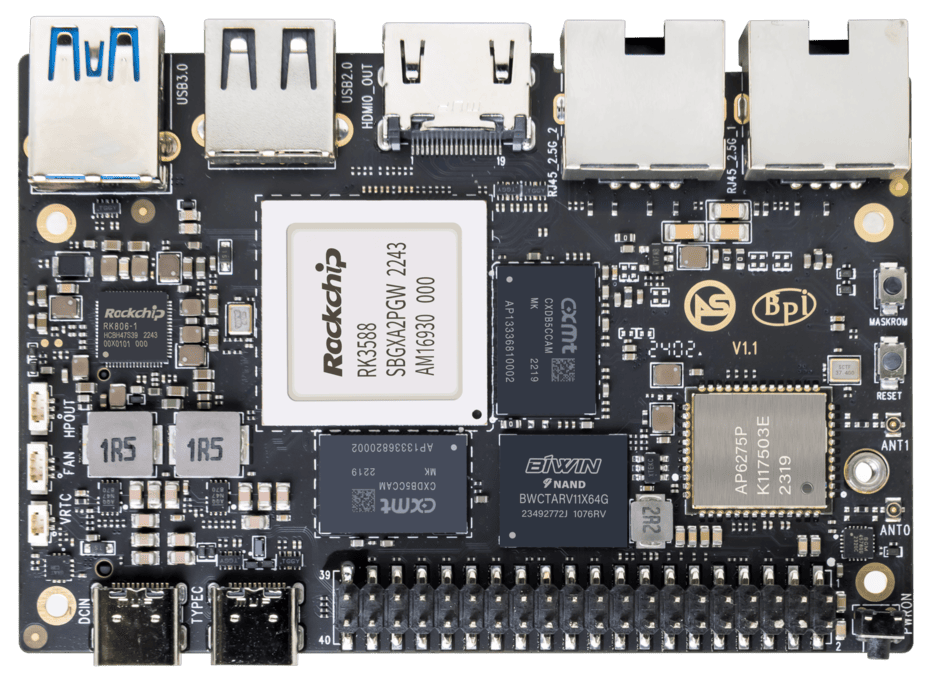
ArmSoM Sige7 product photograph.
A useful NAS must do more than copy a large file quickly. It needs predictable access, enough storage, recoverable configuration and a backup plan. An RK3588 board such as Sige7 can be evaluated for a compact Linux storage server when its expansion and networking fit those needs.
Begin by describing the workload: shared documents, workstation backups, media files, camera recordings or application data. File size, number of clients and recovery expectations determine the design more directly than the processor name.
Understand the data path
Sige7 provides documented NVMe and Ethernet connections suitable for this evaluation. Trace the path from client to switch, network interface, file-sharing service, filesystem and SSD. Each stage can limit the observed transfer rate.
A 2.5 Gb/s link corresponds to 312.5 MB/s before protocol overhead, using decimal units. That arithmetic is a ceiling for the link, not a promised file-copy speed. Small files, encryption, client storage and metadata operations can produce very different results.
Two network ports do not automatically double one client's transfer speed. Link aggregation, multiple clients, protocol features and switch configuration determine how additional links are used. Choose the topology deliberately rather than connecting both ports and expecting a throughput increase.
Choose storage for the workload
Check the SSD's physical dimensions, mounting arrangement and cooling clearance against the board and enclosure. Capacity is only one criterion. Continuous recording or frequent backups also require attention to write endurance and behavior during long transfers.
Keep the boot and recovery plan simple. Record which device holds the operating system, where shared data lives and how the service behaves if the data volume is absent. Mount persistent storage by a stable identifier rather than relying on the order in which devices appear.
Before changing partitions or filesystems, inspect the installed devices:
lsblk -o NAME,SIZE,TYPE,FSTYPE,MOUNTPOINTS,MODEL
findmnt
ip -br link
ip -br addr
These commands are intended for inventory. Confirm device identity and preserve existing data before any later formatting step. A storage tutorial should never make an assumed device name the basis for erasing a disk.
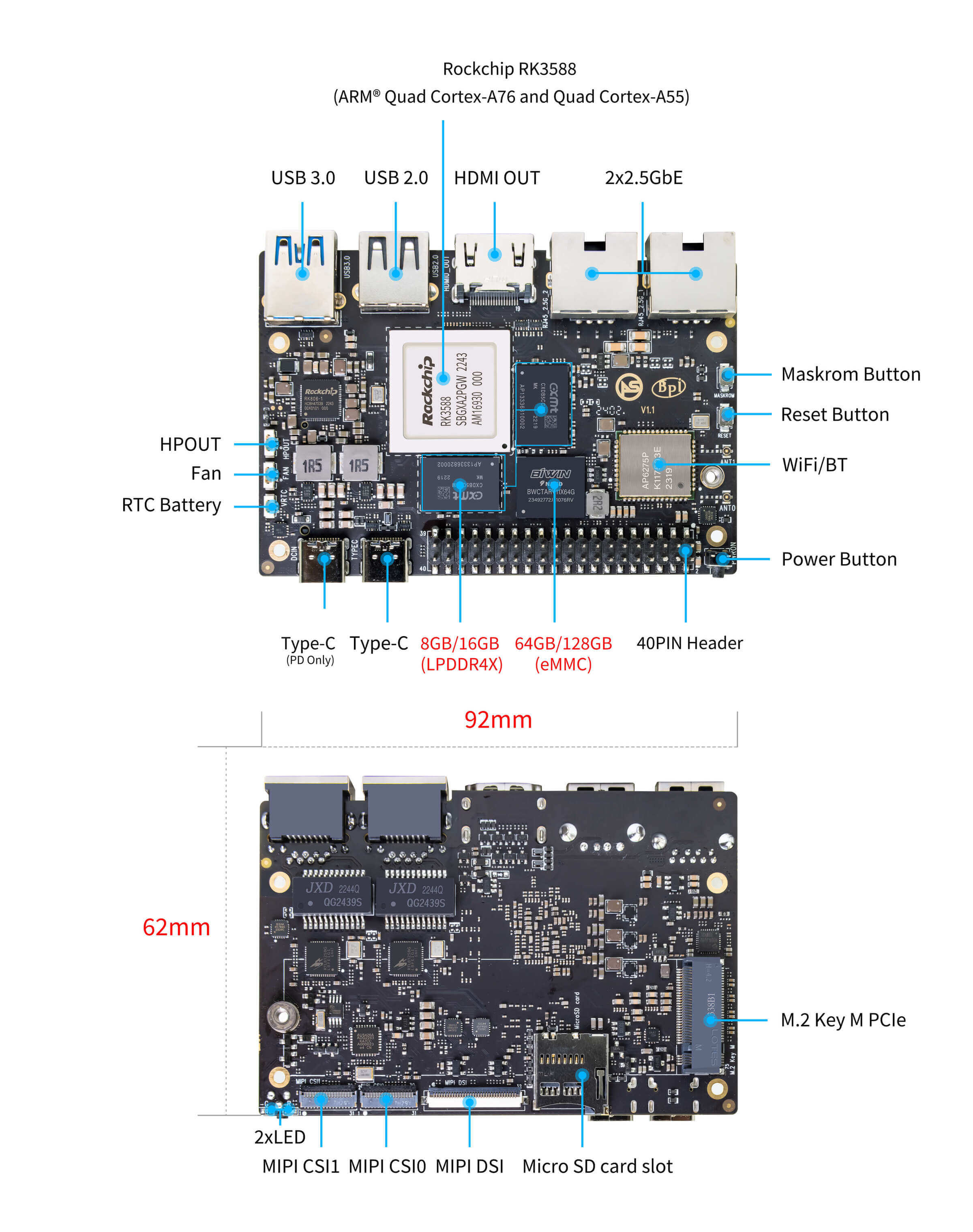
Sige7 front and rear interface reference, including the M.2 connector on the underside. Check drive clearance and cooling in the final enclosure. Image: ArmSoM.
Separate network and storage testing
First test the wired network with a traffic tool between two capable hosts. Then test the storage using disposable files on a dedicated test directory, with enough free space and a clearly bounded workload. Finally measure the actual file-sharing protocol used by clients.
Use both large sequential files and a representative directory of small files. Record whether caches are warm, how much data was transferred and whether other tasks were running. A result that fits entirely in memory says little about sustained disk behavior.
Make cooling and power part of the server
Test with the intended SSD, network activity and enclosure. Observe CPU and storage temperatures throughout a sustained transfer. A fan that works on an open bench may need a different airflow path inside a case.
Use a suitable, documented power arrangement and check startup with all peripherals attached. If unexpected power loss is a deployment concern, evaluate managed shutdown and an appropriate backup-power design. Recovery behavior should be tested on expendable test data before relying on the server.
Protect files and recovery information
Create named accounts and assign only the shares each user needs. Keep administrative access separate from routine file access. Record the sharing configuration, service versions and storage layout so the system can be rebuilt.
A second disk or redundant array can address some hardware failures, but it does not replace a separate backup. Deletion, software mistakes and compromised credentials can affect every disk available to the running system. Keep another copy with a tested restore procedure.
Decide whether the design is ready
Run representative clients concurrently and include the maintenance work the server will perform. Confirm permissions, restore a sample of files and verify behavior after a controlled restart. Keep the measured results with the configuration.
Review Sige7's current hardware documentation before selecting storage and cooling. The goal is a dependable storage system whose limits you understand, with a recovery path you have already tried.