

Both NanoPi R6C and ArmSoM Sige7 offer two Ethernet ports and an M.2 SSD connection. Sige7 has two 2.5GbE links and PCIe 3.0 ×4 for NVMe; R6C combines 2.5GbE with Gigabit Ethernet and a PCIe 2.1 ×1 SSD link. Those differences matter when a local service moves substantial data.
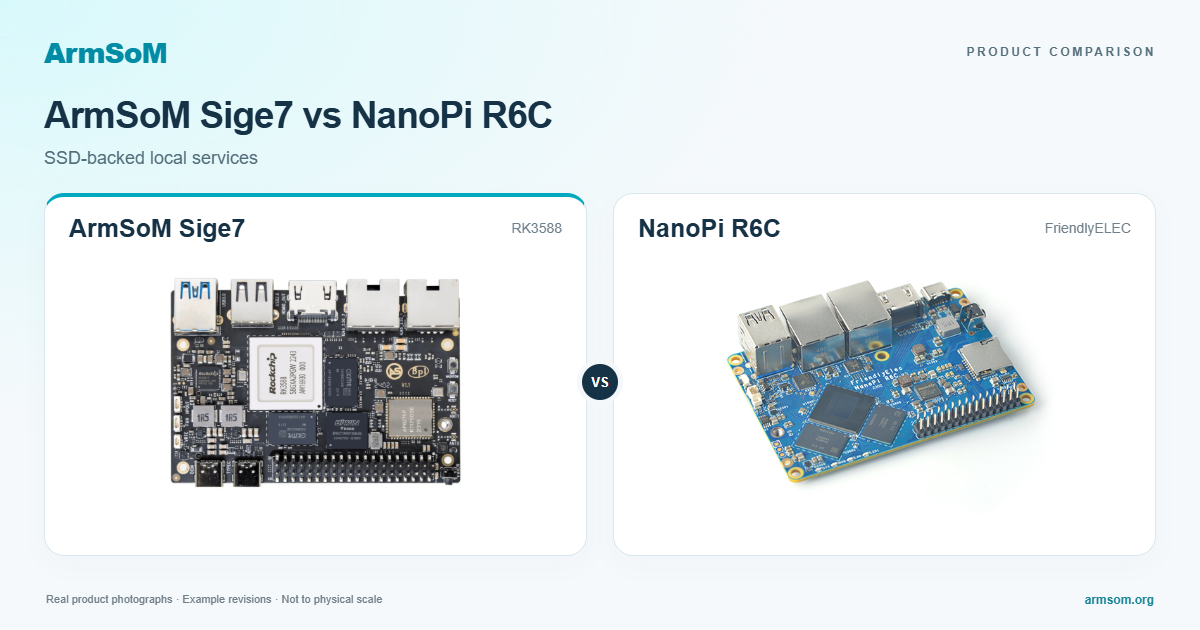
Product photos: ArmSoM; FriendlyELEC. Whole boards, independently fitted and not shown to physical scale. The comparison does not imply a partnership between the brands.
Specifications at a glance
Design factor | ArmSoM Sige7 | FriendlyELEC NanoPi R6C |
Verarbeiter | RK3588 | RK3588S |
Ethernet | 2 × 2.5GbE | 1 × 2.5GbE + 1 × Gigabit Ethernet |
NVMe connection | PCIe 3.0 ×4 M.2 M-key | PCIe 2.1 ×1 M.2 M-key |
drahtlos | Onboard Wi-Fi 6 + Bluetooth | No onboard wireless in documented layout |
GPIO | 40-Pin-Header | 30-pin header |
PCB footprint | 92 × 62 mm | 90 × 62 mm |
USB | Board-specific Type-A and USB-C connections | 1 × USB 3.0 Type-A + 1 × USB 2.0 Type-A |
Why the SSD connection matters
NanoPi R6C already has an M.2 SSD socket. The comparison is therefore not SSD support versus no SSD support. It is the capacity of the connection and how the application uses it. Sige7 supplies four PCIe 3.0 lanes to its M.2 connection, while FriendlyELEC documents one PCIe 2.1 lane on R6C.
This gives Sige7 more interface bandwidth for a single drive. It does not establish a fixed speedup for every task. Small synchronous database writes, a slow SSD, network limits or filesystem overhead can reduce the importance of lane width. Test the access pattern the server will actually run.
Consider both network sides
R6C has a 2.5GbE port and a Gigabit Ethernet port. Sige7 has two 2.5GbE ports. A server connecting two networks above Gigabit speed can therefore use Sige7 without placing one native connection on a Gigabit-only port.
That is useful for a local processing system receiving data on one interface and delivering results on another. It is less important when the upstream connection is slower than Gigabit speed or the application sends only small event messages. Match link capacity to the data flow rather than treating unused bandwidth as a benefit.
A single-drive server is not automatically a resilient NAS
Both boards can form part of a small storage system, but one SSD is one storage device. Plan backup, retention and recovery independently of the board choice. A database or file service needs a tested way to recover data and rebuild the operating system.
If the requirement is several internal drives or a specific redundancy layout, review a platform designed for that arrangement. Attaching more drives through USB changes power, bandwidth and failure behaviour. Do not turn the label “NAS” into a substitute for a storage architecture.
Wireless and expansion change the complete assembly
Sige7 includes Wi-Fi 6 and a 40-pin expansion header. R6C has a 30-pin header with documented GPIO and peripheral functions, and it supports a range of FriendlyELEC system images including FriendlyWrt. These are different integration paths, not a count of which brand has more software.
For a device that needs a supported wireless maintenance link, Sige7 can avoid a separate radio accessory. For a routing-led system already built around FriendlyWrt, R6C may fit the software plan more directly. Check the chosen image and every required peripheral on the actual board.
Build an acceptance run around the storage service
Use the same SSD model and a comparable memory configuration where possible. Run the intended database or file service, then add traffic on both networks. Record request latency, transfer rate, CPU load, storage errors and temperature. Separate a cached read from a read that reaches the drive.
Also test restart after an interrupted service, a full data volume and a temporary network outage. These conditions often reveal more about a deployable server than a single peak transfer number.
Sige7 is the stronger candidate when two faster native network links, a wider SSD connection and integrated wireless all help the design. R6C remains a compact option when its asymmetric Ethernet pair, single-lane SSD connection and software ecosystem meet the workload. Obtain matched system quotes before drawing a cost conclusion.
Questions before you choose
Is Sige7 eight times faster than R6C for storage?
No application-level multiplier is claimed. PCIe generation and lane width differ, but the SSD and workload determine realised performance.
Can I reuse R6C GPIO wiring on Sige7?
Review the pinout and software configuration first. The headers have different pin counts and assignments.
Evaluate ArmSoM Sige7 for your application
Check your required interfaces, software image, memory and storage configuration before choosing a prototype. Erkunden Sie ArmSoM Sige7 und read the hardware documentation.
References and comparison method
Published by ArmSoM. This guide compares manufacturer specifications checked on 25 November 2026. Recommendations reflect the documented interfaces and application requirements; this is not a hands-on benchmark or a compatibility certification.