

ArmSoM has expanded its active cooling range with three heatsink-and-fan assemblies for five products: a shared CM5/CM7s heatsink, a shared Sige6/Sige7s heatsink, and a dedicated AIM7 heatsink. Developers can now choose a cooling assembly matched to these boards and modules when planning a Linux workstation, an embedded terminal or an edge AI prototype.
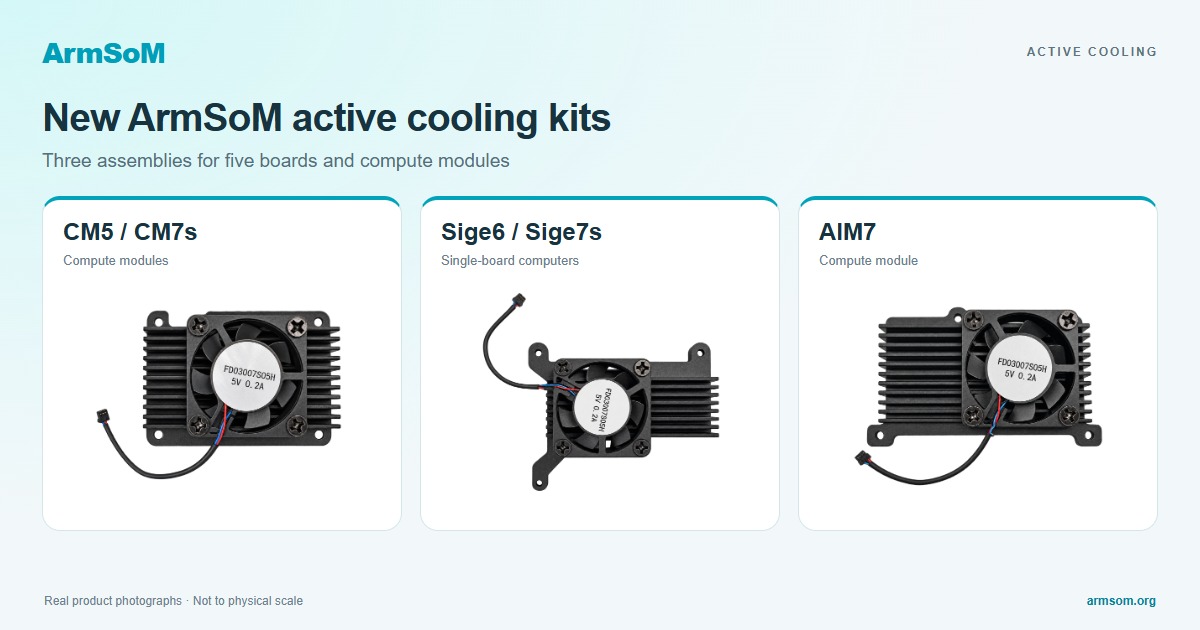
The three new ArmSoM cooling variants. Product photographs are shown independently fitted, not to physical scale.
Which ArmSoM heatsink fits your board?
Start with the exact product name. The range now includes the following combinations, documented in the ArmSoM active cooling selection guide.
Cooling variant | Compatible ArmSoM products | Assembly | Ordering route |
CM5 / CM7s | CM5 and CM7s compute modules | Finned heatsink with axial fan | Contact ArmSoM for the matching kit |
Sige6 / Sige7s | Sige6 and Sige7s single-board computers | Finned heatsink with axial fan | Contact ArmSoM for the matching kit |
AIM7 | AIM7 compute module | Finned heatsink with axial fan | Contact ArmSoM for the matching kit |
Sige1 / Sige3 / Sige5 / Sige7 | Sige1, Sige3, Sige5 and Sige7 | Existing heatsink with 3505S blower | Existing Sige Active Cooling Kit store listing |
The three new variants use different heatsink outlines. Select the intended assembly even when two products use the same processor family. Mounting geometry, component clearance and the thermal contact position determine the fit.
CM5 and CM7s heatsink: cooling for compute-module projects
The CM5/CM7s assembly has a rectangular heatsink body with mounting holes at its four corners. It is the shared cooling option for the ArmSoM CM5 und ArmSoM CM7s.
CM5 uses Rockchip RK3576, while CM7s uses RK3588S. Both are compute modules, so a cooling choice also needs to account for the carrier board. Check the space above the module and around its mounting points, especially if a custom enclosure places a lid or another circuit board nearby. The CM5 Dokumentation und CM7s Dokumentation provide the module and carrier references.
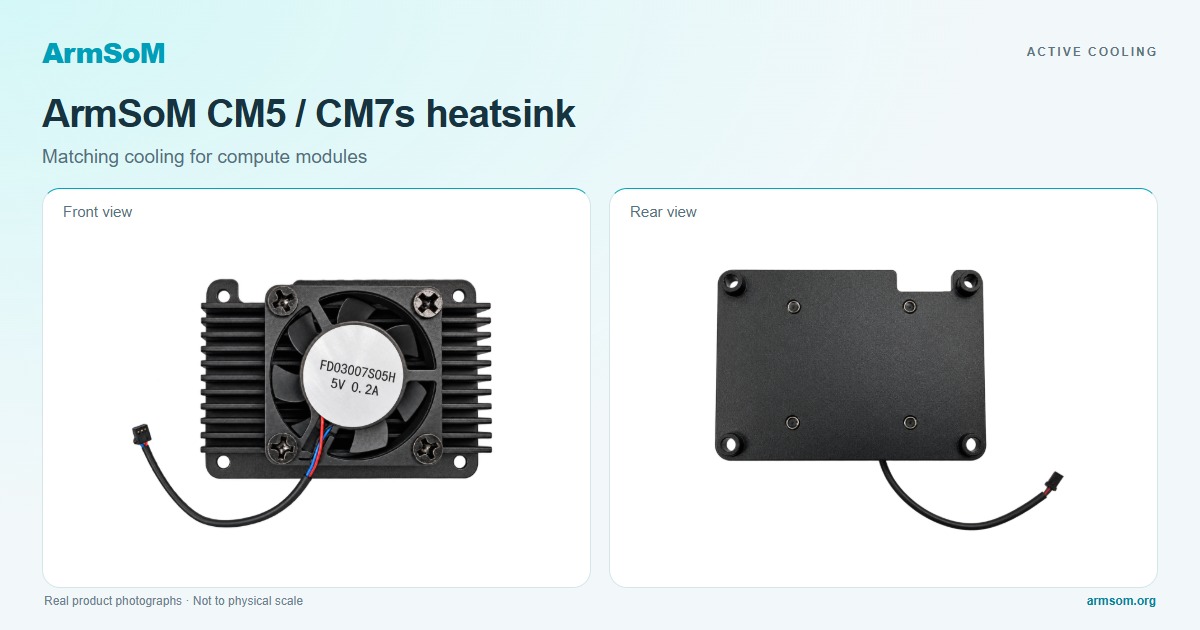
CM5/CM7s heatsink and fan: front and rear views.
Sige6 and Sige7s heatsink: one cooling variant for two SBCs
The Sige6/Sige7s assembly fits both ArmSoM Sige6 und ArmSoM Sige7s. Its asymmetric shape and projecting mounting tabs distinguish it from the CM5/CM7s version.
Sige6 is an Allwinner A733 board, while Sige7s uses Rockchip RK3588S. Their shared heatsink fit does not mean the boards have identical fan connections or software control. Use the Sige6 guide oder Sige7s guide for the hardware revision in your project.
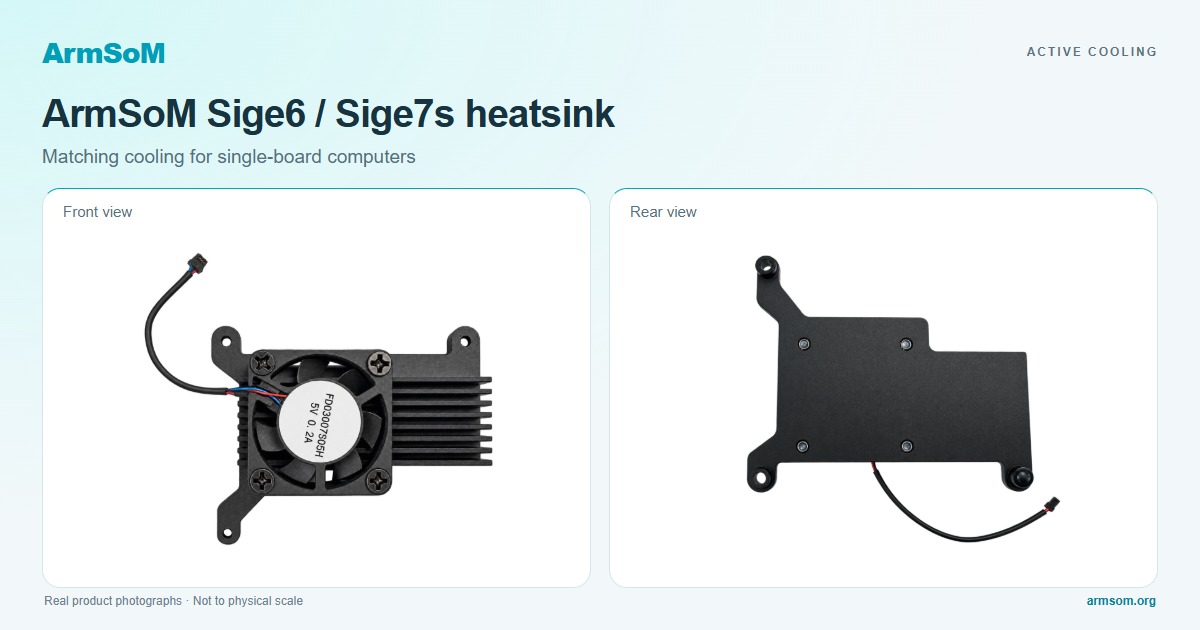
Shared Sige6/Sige7s cooling assembly: front and rear views.
AIM7 heatsink: a dedicated assembly for the RK3588 module
Die ArmSoM AIM7 cooling variant has shaped mounting tabs and a fan positioned toward one side of the fins. It is intended for the AIM7 RK3588 compute module.
For an AIM7 vision or multimedia project, review the cooling assembly together with the carrier and its attached hardware. Camera cables, expansion cards and an enclosure wall can affect access and airflow. Use the AIM7 Hardware-Dokumentation to plan the full assembly before ordering a production batch.
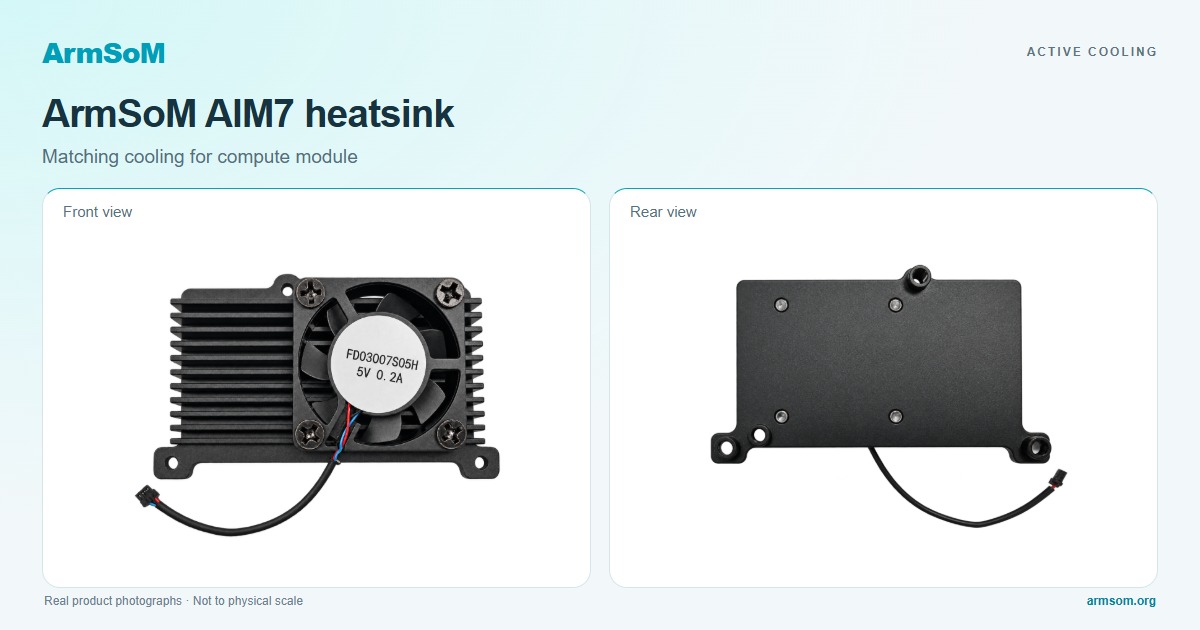
AIM7 heatsink and fan: front and rear views.
Fan power and installation checks
The photographed samples of all three new variants carry FD03007S05H fan labels marked DC 5V, 0.2A. Check the supplied batch label and the board or carrier's FAN pinout before connecting power. The 3505S blower in the existing Sige1/3/5/7 kit has separate specifications.
Disconnect power before fitting the cooler. Confirm the thermal-pad thickness and fastener length for the actual contact gap, then check that the assembly sits evenly without bending the board. Keep the fan cable clear of the blades and leave room for air to move through the enclosure.
Die fan interface guide explains why connector and control details matter. Some ArmSoM boards use a PWM-switched low-side return; this is not a standalone logic PWM output. Follow the pin definitions for your hardware revision rather than inferring the connection from wire colors.
Plan cooling around the application
A useful prototype test reproduces the work the finished product will do. A development workstation can run its normal build job; a vision terminal can run camera capture and inference together. Use the intended enclosure and record room temperature, chip temperature, clock behavior and application throughput over the run.
This gives your team a baseline for checking airflow changes or a different fan policy. Temperature reduction, noise and sustained performance depend on the complete assembly and workload. The new kits do not have a published universal temperature-drop or benchmark figure.
Questions about the new cooling kits
Do CM5 and CM7s use the same heatsink?
Yes. ArmSoM lists a shared CM5/CM7s cooling variant. Confirm the carrier, enclosure clearance, thermal pad and fan connection for your assembly.
Does the Sige6 heatsink also fit Sige7s?
Yes. Sige6 and Sige7s share the listed heatsink variant. Specify your board model when requesting the kit so its connection and fitting details can be checked.
Can I use the existing Sige Active Cooling Kit listing for these new variants?
The existing store listing covers Sige1, Sige3, Sige5 and Sige7. Contact ArmSoM to request the new CM5/CM7s, Sige6/Sige7s or AIM7 assembly.
Request the matching ArmSoM cooling kit
For samples or volume orders, email sales@armsom.org with your board model, hardware revision, carrier board, enclosure and quantity. Include a clearance drawing or enclosure dimensions if you are building a custom product. ArmSoM can then confirm the cooling variant, thermal pad, fasteners and current ordering details.
See the active cooling documentation for product photographs and mechanical resources. Owners of Sige1, Sige3, Sige5 or Sige7 can use the existing Sige Active Cooling Kit product page.